
In 2021, Squarespace added Auto Layouts (List Items) to Squarespace 7.1. They allow you to easily add - and easily edit - lists and grids like this:
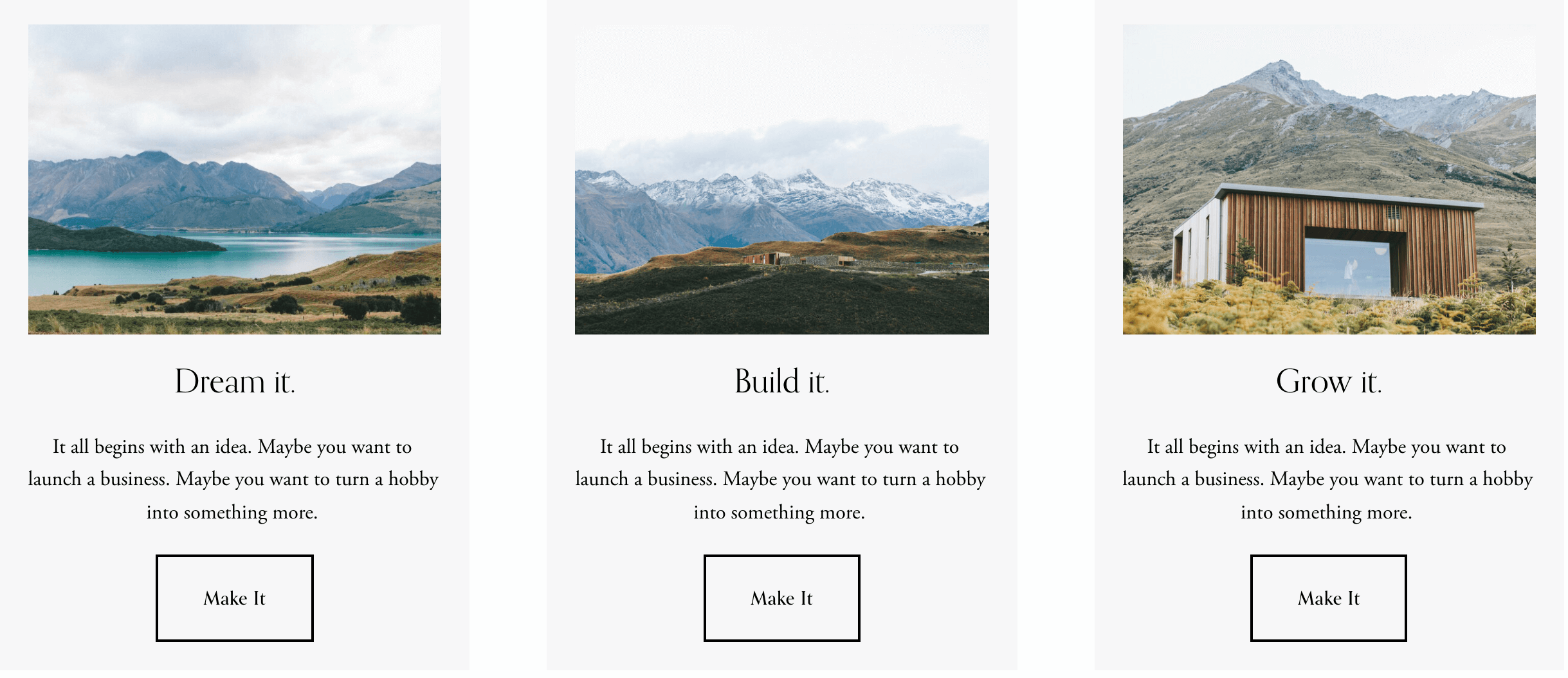
However, there’s a user experience issue because users must click the CTA button to reach your call to action - they can’t click the title or the image.
This snippet of code changes this for Auto Layout Lists in Simple List mode, like the one shown above. Once the code has been added, each list item will become clickable (and tappable!). The link that you’ve added to the button will be applied to the entire list item, allowing a visitor to click the image, the title, the description or the button!
To use this solution, add the following code to the Code Injection Footer (where is it?) and save your changes.
This is version 2 of the code. This newer version (June 2024) has some improvements:
it now honours the ‘open in new tab’ checkbox if it has been used when creating the button
it does not require the jQuery library and therefore doesn’t slow sites down like some other solutions
<!-- Make List Items clickable (v2) -------------------------------------------------------->
<!-- Copyright Soundfocus Digital Ltd [https://sf.digital] --------------------------------->
<!-- Use freely in your code injection. Do NOT re-publish. --------------------------------->
<script>
var _0x48e5d7=_0xc88c;(function(_0x43d2d3,_0x250ec3){var _0x2610e7=_0xc88c,_0x3bb60b=_0x43d2d3();while(!![]){try{var _0x5499ab=-parseInt(_0x2610e7(0x1a2))/0x1*(parseInt(_0x2610e7(0x17d))/0x2)+parseInt(_0x2610e7(0x17f))/0x3+parseInt(_0x2610e7(0x186))/0x4+parseInt(_0x2610e7(0x18d))/0x5+-parseInt(_0x2610e7(0x181))/0x6*(parseInt(_0x2610e7(0x172))/0x7)+parseInt(_0x2610e7(0x192))/0x8*(-parseInt(_0x2610e7(0x19d))/0x9)+-parseInt(_0x2610e7(0x18f))/0xa*(parseInt(_0x2610e7(0x17e))/0xb);if(_0x5499ab===_0x250ec3)break;else _0x3bb60b['push'](_0x3bb60b['shift']());}catch(_0x25aa5d){_0x3bb60b['push'](_0x3bb60b['shift']());}}}(_0x2b73,0xc9cc9));var _0x2aaa6b=(function(){var _0x100df5=!![];return function(_0x481b86,_0x16d825){var _0x3f2664=_0x100df5?function(){var _0x3b7b85=_0xc88c;if(_0x16d825){var _0x37798f=_0x16d825[_0x3b7b85(0x197)](_0x481b86,arguments);return _0x16d825=null,_0x37798f;}}:function(){};return _0x100df5=![],_0x3f2664;};}()),_0x45ad0d=_0x2aaa6b(this,function(){var _0x598927=_0xc88c;return _0x45ad0d[_0x598927(0x189)]()[_0x598927(0x19b)](_0x598927(0x18b)+_0x598927(0x1a5))['toString']()[_0x598927(0x196)+'or'](_0x45ad0d)[_0x598927(0x19b)](_0x598927(0x18b)+_0x598927(0x1a5));});_0x45ad0d();var _0x24fca3=(function(){var _0x505ff1=!![];return function(_0x2e3f4b,_0xcd0d05){var _0x2059e6=_0x505ff1?function(){var _0x3dae8e=_0xc88c;if(_0xcd0d05){var _0x95d9b9=_0xcd0d05[_0x3dae8e(0x197)](_0x2e3f4b,arguments);return _0xcd0d05=null,_0x95d9b9;}}:function(){};return _0x505ff1=![],_0x2059e6;};}());function _0x2b73(){var _0x126f2d=['input','toString','stateObje','(((.+)+)+','DOMConten','5012185VNTXPa','while\x20(tr','155810PbbVLo','\x5c+\x5c+\x20*(?:','href','711784gQCFZJ','ul.user-i','ctorAll','debu','construct','apply','ute','.list-ite','setAttrib','search','appendChi','45HhNCNk','tainer\x20li','forEach','querySele','getAttrib','521VimuTa','ment','ctor',')+$','*\x5c(\x20*\x5c)','][0-9a-zA','tLoaded','counter','595XYofSS','tems-list','action','target','length','container','-Z_$]*)','test','createEle','[a-zA-Z_$','addEventL','5602JCXJRS','253XihwHD','2464302mKuriN','__button-','7170vekplq','ue)\x20{}','init','gger','-item-con','5467288SybLAi','function\x20'];_0x2b73=function(){return _0x126f2d;};return _0x2b73();}function _0xc88c(_0x3ba2f9,_0x490e2c){var _0x5c56f9=_0x2b73();return _0xc88c=function(_0x57957a,_0x24fca3){_0x57957a=_0x57957a-0x172;var _0x3c23b1=_0x5c56f9[_0x57957a];return _0x3c23b1;},_0xc88c(_0x3ba2f9,_0x490e2c);}(function(){_0x24fca3(this,function(){var _0x13ce30=_0xc88c,_0x4febc8=new RegExp(_0x13ce30(0x187)+_0x13ce30(0x1a6)),_0x38c8c7=new RegExp(_0x13ce30(0x190)+_0x13ce30(0x17b)+_0x13ce30(0x1a7)+_0x13ce30(0x178),'i'),_0x4666ac=_0x57957a(_0x13ce30(0x183));!_0x4febc8[_0x13ce30(0x179)](_0x4666ac+'chain')||!_0x38c8c7[_0x13ce30(0x179)](_0x4666ac+_0x13ce30(0x188))?_0x4666ac('0'):_0x57957a();})();}()),document[_0x48e5d7(0x17c)+'istener'](_0x48e5d7(0x18c)+_0x48e5d7(0x1a8),function(){var _0x55aaef=_0x48e5d7,_0x216612=document[_0x55aaef(0x1a0)+_0x55aaef(0x194)](_0x55aaef(0x193)+_0x55aaef(0x173)+_0x55aaef(0x185)+_0x55aaef(0x19e));_0x216612[_0x55aaef(0x19f)](function(_0x48fe15){var _0x4566c1=_0x55aaef,_0x4f1bf2=_0x48fe15[_0x4566c1(0x1a0)+_0x4566c1(0x1a4)](_0x4566c1(0x199)+'m-content'+_0x4566c1(0x180)+_0x4566c1(0x177));if(_0x4f1bf2){var _0x3860c9=_0x4f1bf2[_0x4566c1(0x1a0)+_0x4566c1(0x1a4)]('a');if(_0x3860c9){var _0x1dcb89=_0x3860c9['getAttrib'+_0x4566c1(0x198)](_0x4566c1(0x191)),_0x5eaf7a=_0x3860c9[_0x4566c1(0x1a1)+'ute'](_0x4566c1(0x175)),_0x415d8b=document[_0x4566c1(0x17a)+_0x4566c1(0x1a3)]('a');_0x415d8b[_0x4566c1(0x19a)+_0x4566c1(0x198)]('href',_0x1dcb89);_0x5eaf7a&&_0x415d8b['setAttrib'+_0x4566c1(0x198)](_0x4566c1(0x175),_0x5eaf7a);while(_0x48fe15['firstChil'+'d']){_0x415d8b[_0x4566c1(0x19c)+'ld'](_0x48fe15['firstChil'+'d']);}_0x48fe15[_0x4566c1(0x19c)+'ld'](_0x415d8b);}}});});function _0x57957a(_0x820100){function _0x489bdb(_0x4ab887){var _0x439f40=_0xc88c;if(typeof _0x4ab887==='string')return function(_0x5cfca6){}[_0x439f40(0x196)+'or'](_0x439f40(0x18e)+_0x439f40(0x182))[_0x439f40(0x197)](_0x439f40(0x1a9));else(''+_0x4ab887/_0x4ab887)[_0x439f40(0x176)]!==0x1||_0x4ab887%0x14===0x0?function(){return!![];}['construct'+'or'](_0x439f40(0x195)+_0x439f40(0x184))['call'](_0x439f40(0x174)):function(){return![];}[_0x439f40(0x196)+'or'](_0x439f40(0x195)+_0x439f40(0x184))[_0x439f40(0x197)](_0x439f40(0x18a)+'ct');_0x489bdb(++_0x4ab887);}try{if(_0x820100)return _0x489bdb;else _0x489bdb(0x0);}catch(_0x31c700){}}
</script>
This code is designed to work with Auto Layout sections when they are in “Simple List” mode (see the Design options below).

The Design panel
List items with equal height

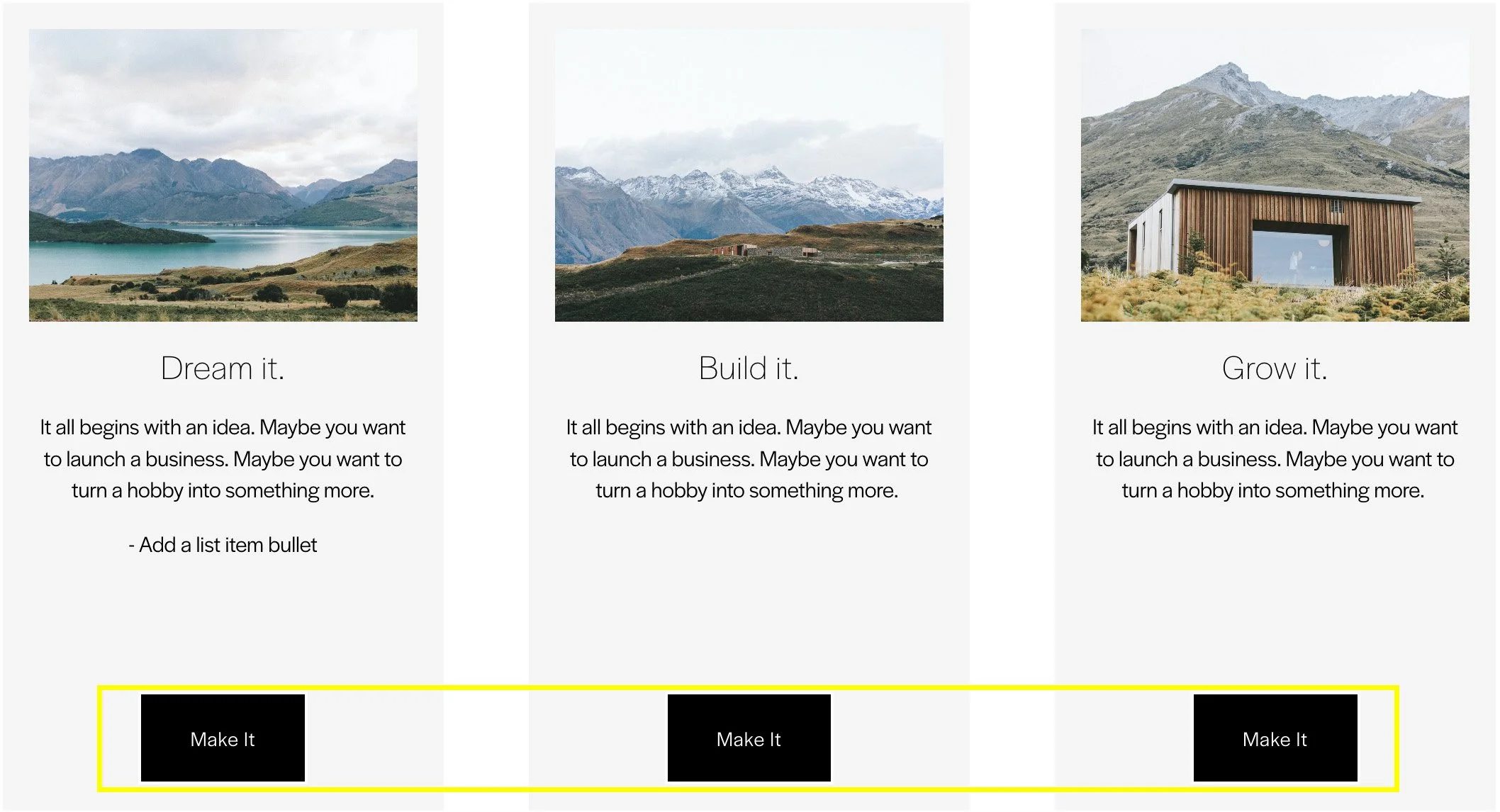
If you’re using the ‘equal height’ option (see button above) for your List Items, you’ll need to apply some Custom CSS after adding the code, like this:
/* List item equal height styling */
.user-items-list-simple .list-item > a {
  display: flex;
  flex-direction: column;
  min-width: 0;
  width: 100%;
  height: 100%;
  text-decoration: none;
  color: inherit;
}
Hiding the buttons
If you want the entire element clickable but you don’t want the buttons, you can hide them with some CSS. If you want to hide the buttons on all the list sections, you can use:
.list-item-content__button {
  display: none;
}
Or to affect a single section, add an anchor link to the page section and then prefix the CSS with the anchor name or ID that you choose. For example, if your anchor link/ID is “hello”, your CSS would be:
#hello .list-item-content__button {
  display: none;
}
Banner Slideshows and Carousels are not supported
It is not possible to make the entire element clickable if you choose to use the Banner Slideshow or Carousel design options. This is because these two designs are interactive allowing users to click and/or drag through the list of visible items. This feature would need to be disabled to allow the click through feature to work.
I hope you find this free resource helpful. Please take a look at our range of Squarespace add-ons to further improve your website’s usability.
Paul
Did this help?
Squarespace Extensions for Squarespace 7.1


