
Squarespace Release Notes
Explore the latest releases, improvements, and fixes.
This page includes updates that are publicly available or in public beta. Details of upcoming releases and private betas can’t be shared. 👀
Markdown Block will be replaced on 15 September 2026
4 September 2026
On 15 September, Squarespace is replacing the existing Markdown Block with a new version across Squarespace 7.0 and 7.1 websites.
The updated Markdown Block includes a revised editor, new heading controls, an improved link editor, and better handling of long code lines and URLs.
The most significant change affects custom JavaScript. New Markdown Blocks will no longer allow <script> elements. This closes a long-standing workaround that allowed JavaScript to be added through Markdown Blocks, including on Basic and legacy Personal plans where JavaScript is not otherwise supported.
Existing legacy Markdown Blocks are not replaced automatically and will continue to function for a while. Squarespace has not yet clarified how long legacy Markdown Blocks will continue to be supported.
Custom tax address for service products
31 August 2026
If you are selling services that take place at a location other than your business address, like a tour, workshop, or in-person consultation, you can now set a tax address for an indicidual service product. This gives you more control over how taxes are calculated at checkout. Previously, Squarespace could only use the seller’s addresses to calculate tax for services.
This new feature allows you to set the tax address to one of the following:
A default service tax address
The shopper's cart address
A custom address specific to that product
This feature is available on Core, Plus, Advanced, Business, Commerce Basic, and Commerce Advanced plans.
Improved product filtering and categories
31 August 2026
In response to negative feedback about the beta “Product Filters” UI, Squarespace has improved the way product filters and product categories appear.
On the Product List Page (PLP) view, they now appear as separate, distinct elements, so shoppers can understand how each one works. Previously, categories appeared grouped inside a filter drawer that was confusing. Now, dropdown-style categories display directly on the page alongside the filter button.
On mobile, both elements use a sticky top layout that stays visible while customers scroll through results.
This update applies to 7.1 sites only. Sites built on Squarespace 7.0 do not have product filtering, and have more limited store capabilities.
Squarespace adds support for ads.txt files
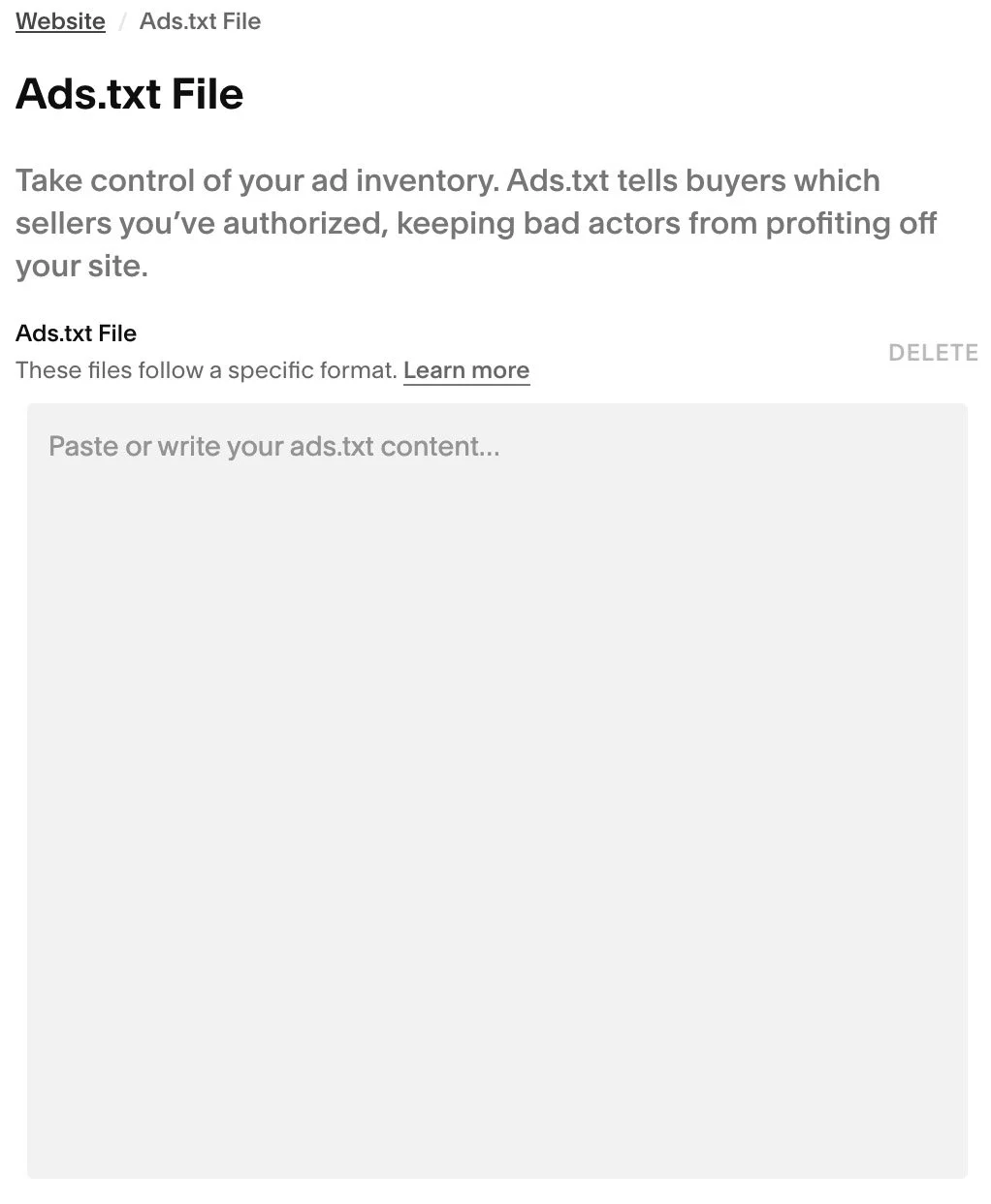
You can now create or upload an ads.txt file
25 August 2026
After many years of requests, Squarespace has finally native support for ads.txt files. If you’re placing advertisements on your site, you can now create the ads.txt file defining who is allowed to sell that space on your site.
You can now edit them directly in Settings > Ads.txt File.
You'll find more detailed information in the Squarespace support article entitled Create an ads.txt file.
Multi-currency Squarespace checkout
29 August 2026
Squarespace has introduced multi-currency checkout, allowing customers to complete their purchase in their local currency as an alternative to the store's default currency.

For sellers using Squarespace Payments or Stripe, eligible shoppers will see buttons at checkout where they can choose between their local currency and the seller's store currency. One local currency option is automatically selected for the customer; it cannot be configured.
Note that this feature only shows local prices at the checkout. If you’d like local prices to appear on product pages, the feature is fully compatible with our Currencies plugin.
Squarespace has added multi-currency checkout by default for both new and existing sellers, so all existing live sites now have this feature at checkout.
Sellers will always receive funds in their own settlement currency, regardless of which currency the customer users. There’s currently a 4% currency conversion fee, but this is paid by the shopper. If a customer purchases in their own currency, the seller will see this message on the order notification: “This customer checked out in their local currency using Multicurrency checkout. Your payout is unaffected and will be settled in your currency.”
This new feature only applies to one-time purchases, pay links, invoices and donations. It does not apply to subscriptions, payment plans or digital products like memberships.
Products now support GTINs and MPNs
06 April 2026
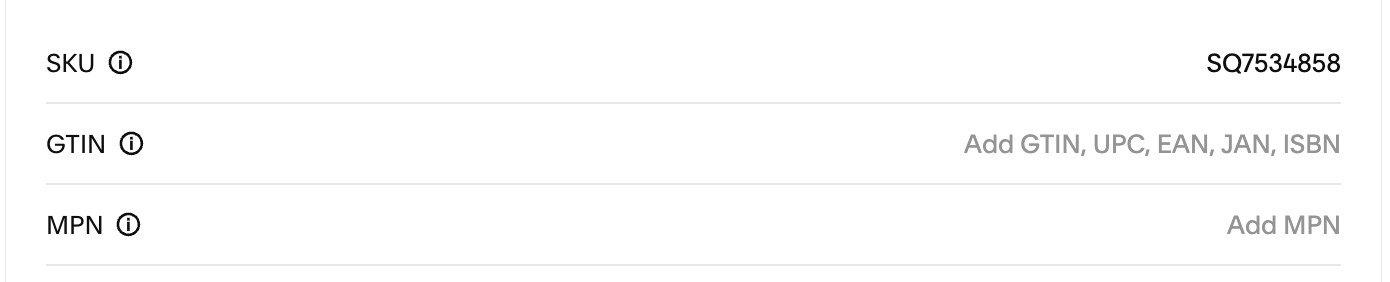
You can now add Global Trade Item Number (GTIN) and Manufacturer Part Number (MPN) fields to products and variants, to improve product data quality and Google Shopping compatibility.
You can add this information in the Product Composer when adding or editing products.
Scrolling block changes
31 March 2026
Squarespace are rolling out a replacement Scrolling Block from 31 March 2026.
This change is technical in nature, so you shouldn’t see any functional changes at this time. However, these changes will allow the Scrolling Block to support a host of improvements, later in 2026.
If you use any custom code that targets Scrolling Blocks, your code may break. This is because the block properties, previously stored in a JSON script tag (<script class="Marquee-props" type="application/json">), have been moved to data attributes on the .Marquee class element.

WebP image support now available
Squarespace now supports WebP images
14 July 2025
Squarespace today added WebP image support. WebP is a modern image format that provides superior compression for images on the web, potentially improving page load speeds for Squarespace websites, leading to improved SEO performance.
This highly anticipated feature is being rolled out on a site-by-site basis and will be available on all sites by the end of July 2025
WebP image support includes:
the ability to upload WebP images to Squarespace,
automatic background conversion of other image formats to WebP
How it Works
In addition to supporting WebP uploads, Squarespace now automatically converts image files to WebP in the background for optimal delivery. When a visitor loads your site, the CDN powering Squarespace checks the browser’s capabilities by reading the ‘Accept’ header sent with the request. If the browser supports WebP, a WebP version of the image is served, even if the original file was uploaded to Squarespace as a JPEG or PNG! The original format of the image will be retained and loaded to web browsers that don’t support WebP.
You will likely still see .jpg or .png file extensions in your site’s HTML, but this doesn’t mean WebP isn’t working. The CDN serves the most efficient format dynamically based on browser support, using content negotiation behind the scenes. You can confirm this by inspecting the image request in your browser’s Network tab. The actual file served will show a Content-Type of image/webp if WebP delivery is active.
More information
You can read more in the Squarespace support guide, Formatting images for display on the web.

Klarna now available with Stripe
On 30 June 2025, Klarna was enabled as a payment method on Squarespace websites where Stripe is the payment processor and you’re in a supported location. If you’d don’t want to allow customers to pay by Klarna, you must manually opt-out in the Payment Settings panel.
Klarna is a buy now, pay later solution where customers can pay for purchases over time.
This feature was previously enabled for Stripe Payments and is now also enabled for Stripe.
To offer Klarna:
You need to sell physical products.
You need to use Squarespace Payments, or Stripe, as your payment solution.
If your business is outside the UK, or a supported country in the European Economic Area (EEA), you can only sell to customers in your own country, and all transactions must be in your country's currency. For example, a US business can only sell to customers in the US and must charge in US dollars.
If you’re a business in the UK or a supported country in the European Economic Area (EEA), you can sell to customers across the European Economic Area (EEA), UK, and Switzerland, and all transactions must be in the currency of the customer’s country. For example, a UK business can accept Klarna in Euros to sell to a customer in Germany.

Google Pay available on Squarespace
Google Pay is now officially supported on Squarespace for any site using Squarespace Payments or Stripe as the payment processor. This makes checkout even faster for customers using Android and Chrome.
No setup is needed. If your site is using Squarespace Payments or Stripe, Google Pay will automatically be enabled for eligible sites and transactions from 30 June 2025.
According to Google, it is available globally and can have a real impact on conversions, with some sellers seeing a 14% uplift in completed checkouts - although this isn’t specific to Squarespace websites.
This is another step in the right direction for Squarespace’s payment options. Google Pay joins Apple Pay, Link by Stripe, Klarna, and Afterpay/Clearpay to give sellers more flexibility and offer customers more choice.
Squarespace Payments available in more European countries
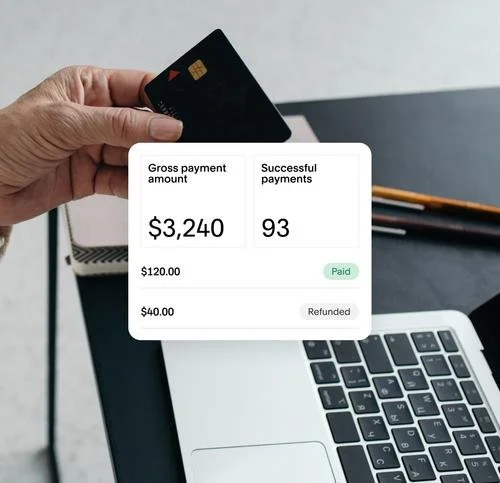
Squarespace Payments is now available to customers in the Netherlands, Spain, Belgium, Finland, and Austria.
What is Squarespace Payments?
Squarespace Payments is Squarespace’s native payment processing solution, designed to streamline online transactions directly within your website. It eliminates the need to logon to third-party providers to manage payments, refunds, and payouts, as these can be managed entirely through your Squarespace dashboard.
Squarespace has partnered with Stripe to offer this fully integrated payment system under the Squarespace brand. Behind the scenes, Stripe is doing the actual payment processing (handling the card transactions, payouts, fraud monitoring, etc.), but everything — setup, management, and support — is managed within your Squarespace account.
While specific rates can vary, Stripe's fees for Klarna, Afterpay andClearpay are typically lower than those charged through Squarespace Payments.
Countries supported
The table below shows the full list of countries where Squarespace Payments is available (at 29 April 2025), and what payment methods you can accept depending on your location.
| Country/Region | Accepted card brands | Accepted payment methods and digital wallets |
| Austria | Carte Bancaire, Visa, Mastercard, AMEX, Discover, Apple Pay, Klarna, Link by Stripe, CB, Diners Club, and UnionPay | Apple Pay, Klarna, and Link by Stripe |
| Belgium | Carte Bancaire, Visa, Mastercard, AMEX, Discover, Apple Pay, Klarna, Link by Stripe, CB, Diners Club, and UnionPay | Apple Pay, Klarna, and Link by Stripe |
| Canada | Visa, Mastercard, AMEX, Discover, JCB, Diners Club, Carte Bancaire, and UnionPay | Apple Pay, Klarna, and Link by Stripe, and Afterpay (in any province except Quebec) |
| Finland | Carte Bancaire, Visa, Mastercard, AMEX, Discover, Apple Pay, Klarna, Link by Stripe, CB, Diners Club, and UnionPay | Apple Pay, Klarna, and Link by Stripe |
| France | Carte Bancaire, Visa, Mastercard, AMEX, Discover, Apple Pay, Klarna, Link by Stripe, CB, Diners Club, and UnionPay |
Apple Pay, Klarna, and Link by Stripe |
| Germany | Carte Bancaire, Visa, Mastercard, AMEX, Discover, Apple Pay, Klarna, Link by Stripe, CB, Diners Club, and UnionPay |
Apple Pay, Klarna, and Link by Stripe
|
| Ireland | Visa, Mastercard, AMEX, Discover, CB, Diners Club, Carte Bancaire, and UnionPay |
Apple Pay, Klarna, and Link by Stripe |
| Netherland | Carte Bancaire, Visa, Mastercard, AMEX, Discover, Apple Pay, Klarna, Link by Stripe, CB, Diners Club, and UnionPay |
Apple Pay, Klarna, and Link by Stripe |
| Spain | Carte Bancaire, Visa, Mastercard, AMEX, Discover, Apple Pay, Klarna, Link by Stripe, CB, Diners Club, and UnionPay |
Apple Pay, Klarna, and Link by Stripe |
| United Kingdom | Visa, Mastercard, AMEX, Discover, CB, Diners Club, Carte Bancaire, and UnionPay | Apple Pay, Klarna, Link by Stripe, and Clearpay |
| United States | Visa, Mastercard, AMEX, Discover, Automated Clearing House, CB, Diners Club, Carte Bancaire, and UnionPay | Apple Pay, Klarna, Link by Stripe, and Afterpay |

New Product Block styling options
On 9 April 2025, Squarespace added some new styling options to Product Blocks. With this update, you now have more control over button styles and font selections within the block, making it easier to create beautifully branded layouts for your commerce clients.
Font styling: Navigate to Site Styles > Fonts > Assign Styles and look for the new Product Block section. From here, you can assign specific fonts to the Title, Price, and Description elements.
Flexible button styling: After adding a Product Block, toggle on the Add to Cart option. Then, open the Design tab and scroll to the new Button section. Here, you can choose from your site’s Primary, Secondary, or Tertiary button styles to match your brand.
New Squarespace Extension for food ordering
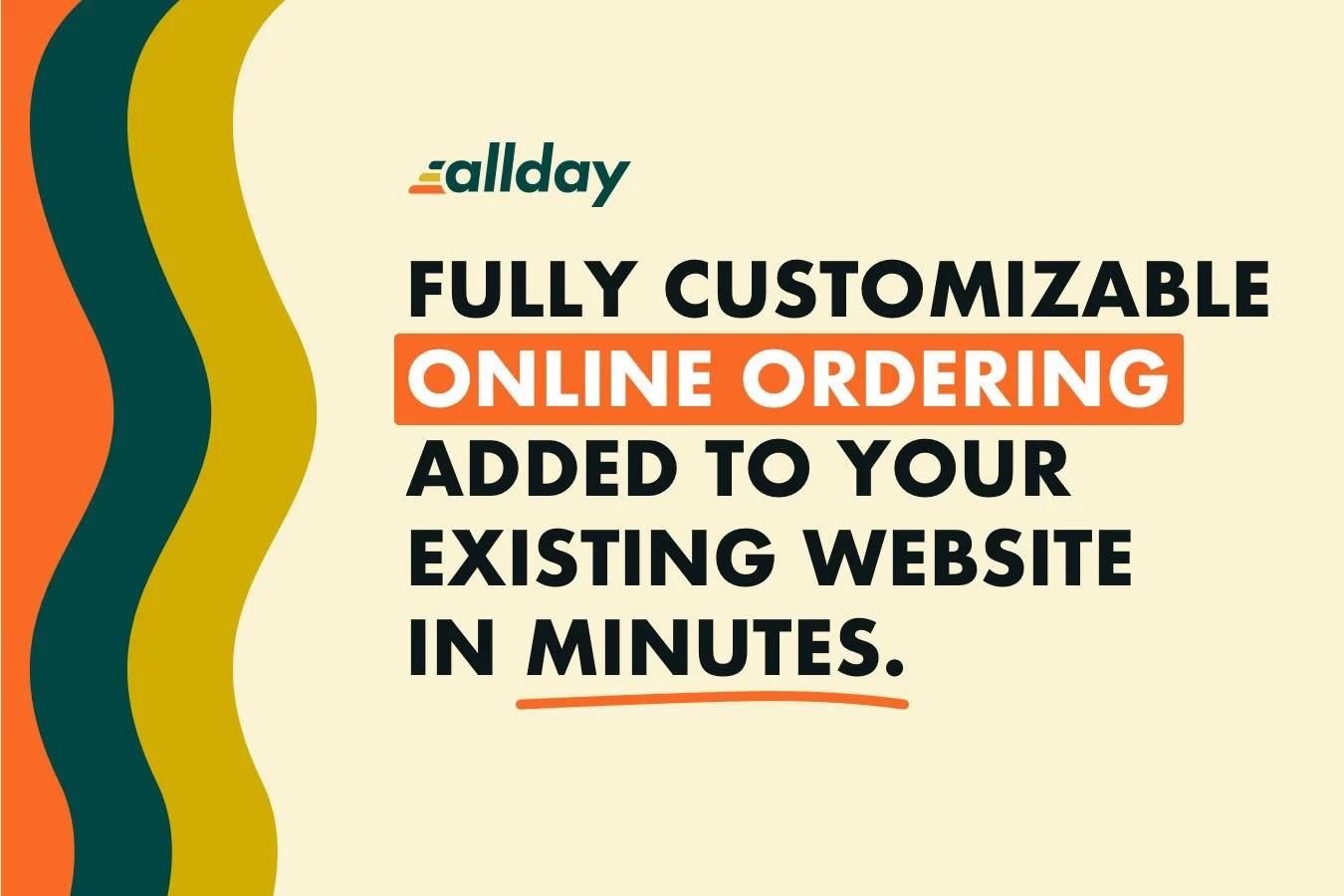
From April 2025, Squarespace users in the United States can embed the Allday Ordering extension in their Squarespace website.
Allday Ordering is an all-in-one online ordering solution for creating menus, handling orders, and offering a seamless checkout experience for food orders.
The merchant does not pay to use the Allday Ordering extension but the service charges the customer a service fee of $2 per order.

Squarespace Font retirements
Because font offerings are dependent on third-parties who provide font libraries, it is occasionally necessary to retire certain fonts. In January 2025, Squarespace retired around 300 fonts, listed further down this page.
After a font is retired, it’s not possible to add that font to a website. If you try to duplicate a Squarespace website that is currently using any of the retired fonts, duplication will be unavailable until you remove all the affected fonts.
The retired fonts (correct as at 12 February 2025) are listed below:
Abadi
Abadi Condensed
Alternate Gothic No. 1 D
Alternate Gothic No. 2 D
Alternate Gothic No. 3 D
Antique Olive
Antique Olive Compact
Antique Olive Condensed
Antique Olive Nord
Anzeigen Grotesk
Balloon D
Balloon URW
Balloon URW Drop Shadow
Balloon URW Outline
Baskerville URW
Baucher Gothic URW
Baucher Gothic URW Extended
Baucher Gothic URW Alternates
Baucher Gothic URW Alternates Extended
Bee
Bernhard Gothic URW
Bodoni URW
Caecilia
Caecilia Sans Head
Caecilia Sans Text
Calibri
Casablanca URW
Century Gothic
Clarendon URW
Clarendon URW Extra Narrow
Clarendon URW Extra Wide
Classica Pro
Classico URW
Classico URW Condensed
Copperplate
Copperplate Condensed
Corporate A
Corporate A Condensed
Corporate A Std URW
Corporate A Std URW Cond
Corporate E
Corporate E Std URW
Corporate S
Corporate S Std URW
Craw Modern URW
Demos Next
Demos Next Condensed
Didoni URW
DIN 1451 LT Pro Engschrift
Eagle
Egizio URW
Egizio URW Condensed
Eurostile
Eurostile Condensed
Eurostile Extended
FF Amman Sans Pro
FF Amman Serif Pro
FF Angie Open Pro
FF Angie Pro
FF Attribute Mono
FF Attribute Text
FF Avance Pro
FF Basic Gothic Pro
FF Basic Gothic SC Web Pro
FF Brokenscript Web
FF Brokenscript Web Condensed
FF Carina
FF Casus
FF Chambers Sans Web
FF Cocon Pro
FF Cocon Pro Condensed
FF Cocon Pro Extra Condensed
FF Dagny Pro
FF Dax Compact Pro
FF Dax Pro
FF Dax Pro Condensed
FF Dax Pro Wide
FF Duper Web Pro
FF Enzo
FF Ernestine Pro
FF Folk
FF Folk Rough
FF Ginger Pro
FF Good Headline Condensed Pro
FF Good Headline Pro
FF Good Headline Pro Compressed
FF Good Headline Pro Condensed
FF Good Headline Pro Extended
FF Good Headline Pro Extra Condensed
FF Good Headline Pro Narrow
FF Good Headline Pro Wide
FF Good Pro
FF Good Pro Compressed
FF Good Pro Condensed
FF Good Pro Extended
FF Good Pro Extra Condensed
FF Good Pro Narrow
FF Good Pro Wide
FF Info Correspondence Pro
FF Info Display Pro
FF Info Text Pro
FF Karbid Display Pro
FF Karbid Pro
FF Karbid Slab Pro
FF Karbid Text Pro
FF Kava Pro
FF Mach Pro
FF Mach Pro Condensed
FF Mach Wide Pro
FF Market Pro
FF Market Pro Condensed
FF Meta Correspondence Pro
FF Meta Headline Pro
FF Meta Headline Pro Compact
FF Meta Headline Pro Condensed
FF Meta Pro
FF Meta Pro Condensed
FF Meta SC Web Pro
FF Meta Serif Pro
FF Meta Serif SC Web Pro
FF More Pro
FF More Pro Condensed
FF More Pro Wide
FF Netto
FF Nexus Mix
FF Nexus Sans
FF Nexus Serif
FF Nexus Typewriter
FF Nort
FF Nuvo Mono Pro
FF Nuvo Pro
FF Nuvo SC Web Pro
FF Prater Block
FF Prater Block Background Pro
FF Prater Block Fill Pro
FF Prater Sans
FF Prater Script
FF Prater Serif
FF Providence Pro
FF Providence Sans Pro
FF Providence SC Web Pro
FF Real Headline Pro
FF Real Headline Pro 2
FF Real Text Pro
FF Real Text Pro 2
FF Scala
FF Scala Condensed
FF Scala Jewel Crystal
FF Scala Jewel Diamond
FF Scala Jewel Pearl
FF Scala Jewel Saphyr
FF Scala Sans Pro
FF Scala Sans Pro Condensed
FF Seria
FF Seria Sans
FF Sizmo
FF Sizmo Line
FF Speak Pro
FF Spinoza Pro
FF Tisa Pro
FF Tisa Sans Pro
FF Typestar OCR Pro
FF Typestar Pro
FF Uberhand Pro
FF Uberhand Pro 2
FF Uberhand Text Pro
FF Uberhand UI
FF Unit
FF Unit Rounded
FF Unit Slab
FF Utility Pro
FF Zwo Corr Pro
FF Zwo Pro
Franklin Gothic Compressed
Franklin Gothic Condensed
Franklin Gothic Extra Compressed
Franklin Gothic URW
Franklin Gothic URW Compressed
Franklin Gothic URW Condensed
Franklin Gothic URW Condensed SC
Franklin Gothic URW Extra Compressed
Gill Sans Nova
Gill Sans Nova Condensed
Gill Sans Nova Deco
Gill Sans Nova Extra Condensed
Gill Sans Nova Inline
Gill Sans Nova Inline Condensed
Gill Sans Nova Shadowed
Gill Sans Nova Shadowed Outline
Goudy Old Style
Handel Gothic
Imperial URW
Isonorm
ITC American Typewriter
ITC American Typewriter Condensed
ITC Avant Garde Gothic Pro
ITC Benguiat
ITC Benguiat Condensed
ITC Fenice Pro
ITC Flora
ITC Galliard
ITC Giovanni
ITC Officina Sans Pro
ITC Slimbach
ITC Zapf International
Jay Gothic URW
Joanna Nova
Joanna Sans Nova
Justus Pro
Latino URW
Linotype Didot
Linotype Didot Headline
Linotype Sabon
Linotype Vectora
Masqualero
Masqualero Groove
Masqualero Stencil
Monotype Grotesque
Monotype Grotesque Condensed
Monotype Grotesque Display Condensed
Monotype Grotesque Display Extended
Monotype Grotesque Extended
Monotype Grotesque Extra Condensed
Monotype Modern Display
Neo Sans
Neue Aachen Pro
Neue Haas Grotesk Display
Neue Haas Grotesk Text
Neue Haas Unica
Neue Kabel
Neuzeit Grotesk
Neuzeit Grotesk Condensed
Neuzeit Grotesk Extra Condensed
Nimbus Roman
Nimbus Sans
Nimbus Sans Condensed
Nimbus Sans Extended
Plantin
Plantin Condensed
Praxis Next
Praxis Next Condensed
Quire Sans
Quire Sans Fat
Rockwell
Rockwell Condensed
Rockwell Nova
Rockwell Nova Condensed
Rosella Deco
Rosella Engraved
Rosella Flourish
Rosella Hatched
Rosella Inline
Rosella Solid
Schnebel Sans ME
Schnebel Sans ME Compressed
Schnebel Sans ME Condensed
Schnebel Sans ME Expanded
Schnebel Sans Pro
Schnebel Sans Pro Compressed
Schnebel Sans Pro Condensed
Schnebel Sans Pro Expanded
Serifa
Serifa Condensed
Serifa Stencil
Stymie
Stymie Condensed
Stymie Drop Caps
Stymie SC
Trade Gothic Next
Trade Gothic Next Compressed
Trade Gothic Next Condensed
Trade Gothic Next Soft Rounded
Trade Gothic Next Soft Rounded Compressed
Trade Gothic Next Soft Rounded Condensed
Unitext
URW Antiqua
URW DIN
URW DIN Condensed
URW DIN Semi Condensed
URW Form
URW Form Condensed
URW Form Condensed Poster
URW Form Expanded
URW Form Expanded Poster
URW Form Poster
URW Form Semi Condensed
URW Form Semi Condensed Poster
VAG Rundschrift D
Vera Sans
Wingdings
Wingdings 2
Wingdings 3
Anchor Links added to Page Sections
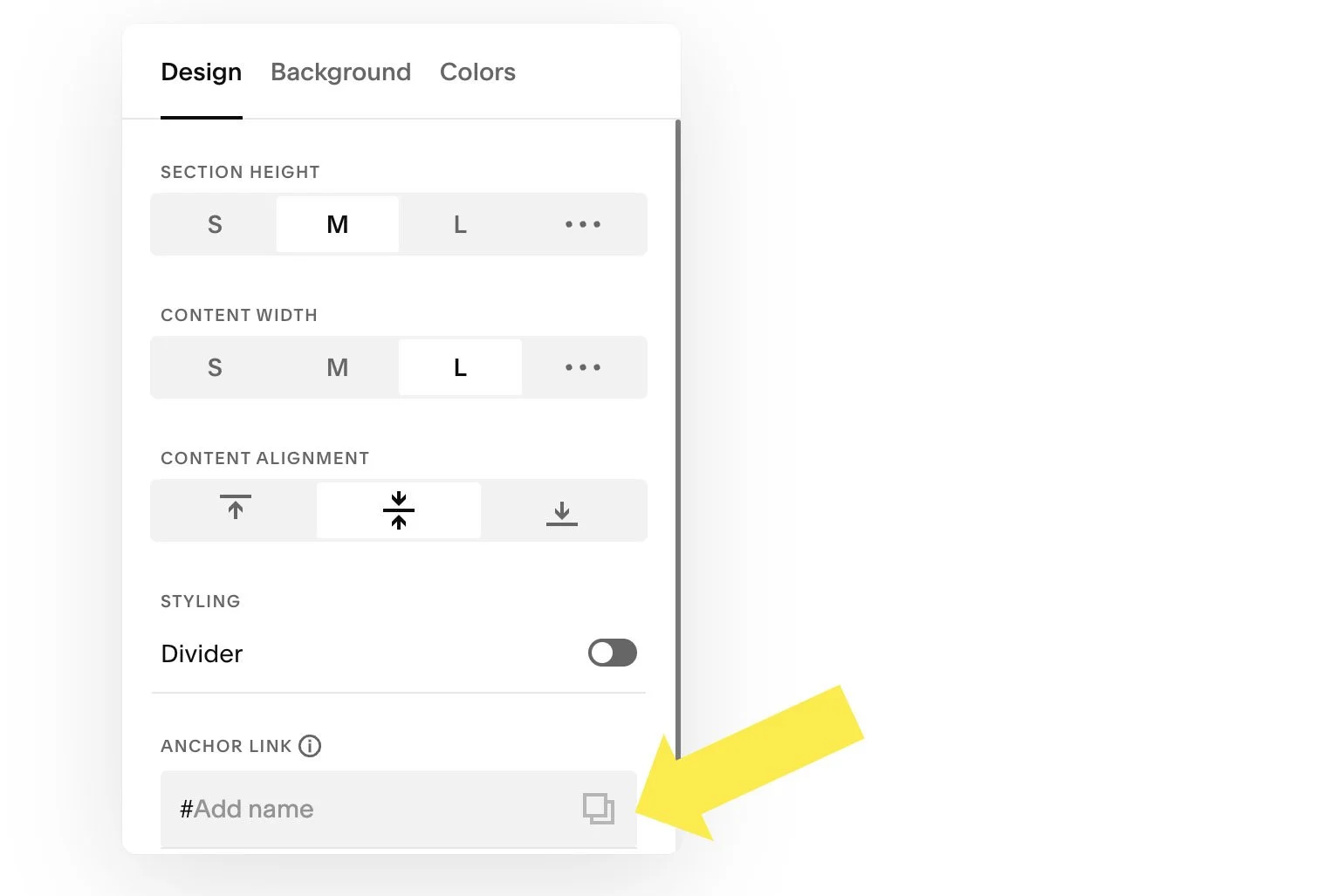
On 12 February 2025, Squarespace released a new Anchor Link feature to Squarespace 7.1.
Anchor Links enable you to create custom URLs that, when clicked, take site visitors to a specific page section. These also serve as a way to give sections custom IDs you can target in custom code.
Section Anchor Links are now available for the following page sections:
Fluid Engine layout
Classic Editor layout
List
Gallery
Courses Collection
Video Collection
To create an Anchor Link, open the EDIT SECTION menu for an eligible section. The location to add an Anchor Link is at the bottom of the first tab. Type a custom name into the ANCHOR LINK field. Note: Anchor Links only work once you save changes.
Carrier Calculated Shipping available outside the US
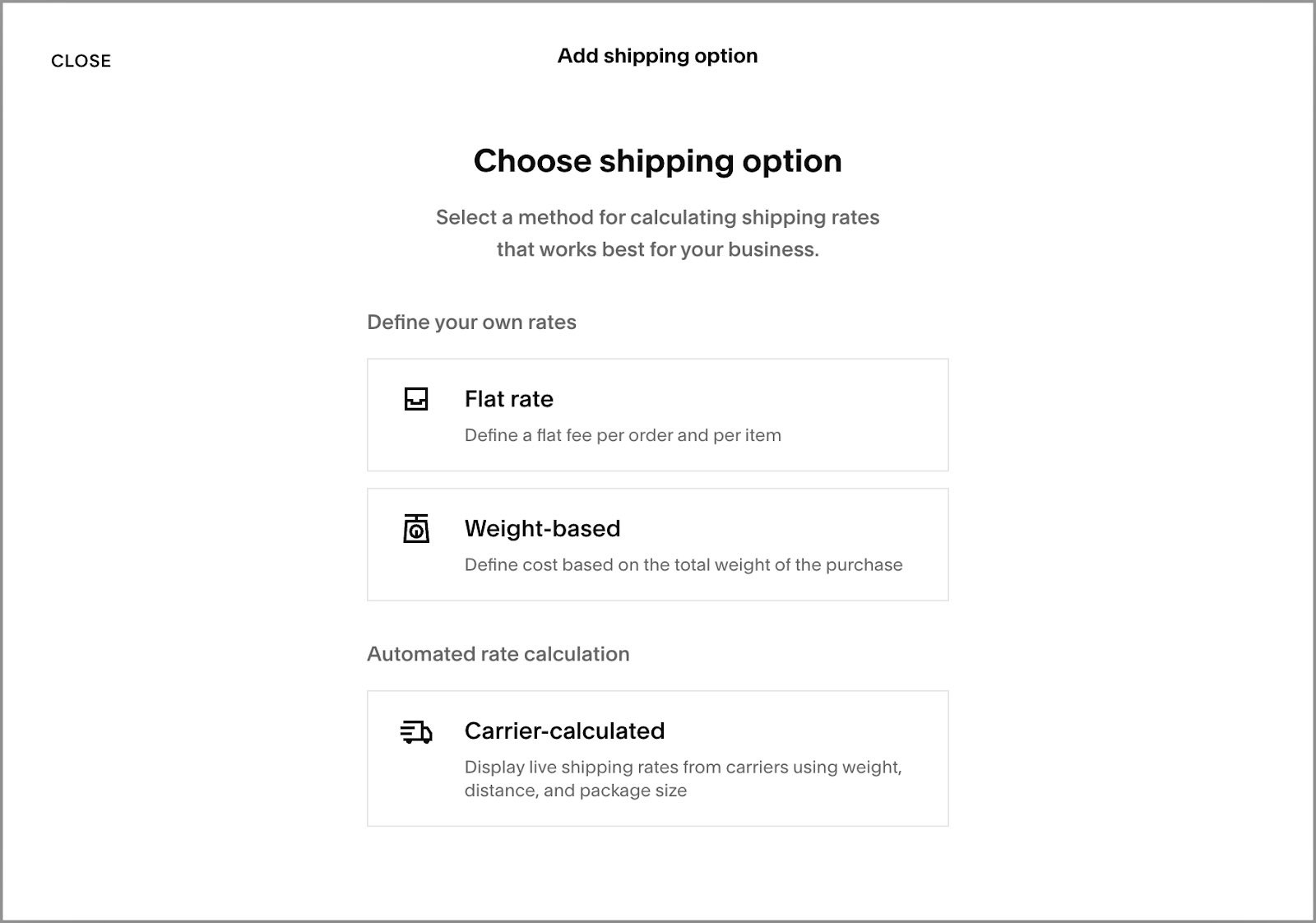
On 19 December 2024, Squarespace rolled out Carrier Calculated Shipping to a number of countries outside the U.S. Countries include United Kingdom, Australia, Canada, France, Germany, Netherlands, New Zealand and Singapore.
There are over 20 new carriers in this initial launch including DHL Express, DPD, Evri, Canada Post, Colissimo, NZ Post, PostNL, Sendle, among others.
Also, Carrier Calculated Shipping is now available on all nearly all website plans (with the exception of Personal and Basic plans).
Benefits of Carrier Calculated Shipping
There are a number of benefits to this new feature:
Accurate pricing: With real-time calculations, customers pay only the actual shipping cost, reducing the chance of overcharging or undercharging for shipping.
Increased sales: Transparent, accurate shipping costs can improve the shipping experience, encouraging more customers to complete their purchases.
Save time: By automating shipping calculations, we streamline the process of setting up and maintaining shipping rates.
Buy X, get Y discounts now available

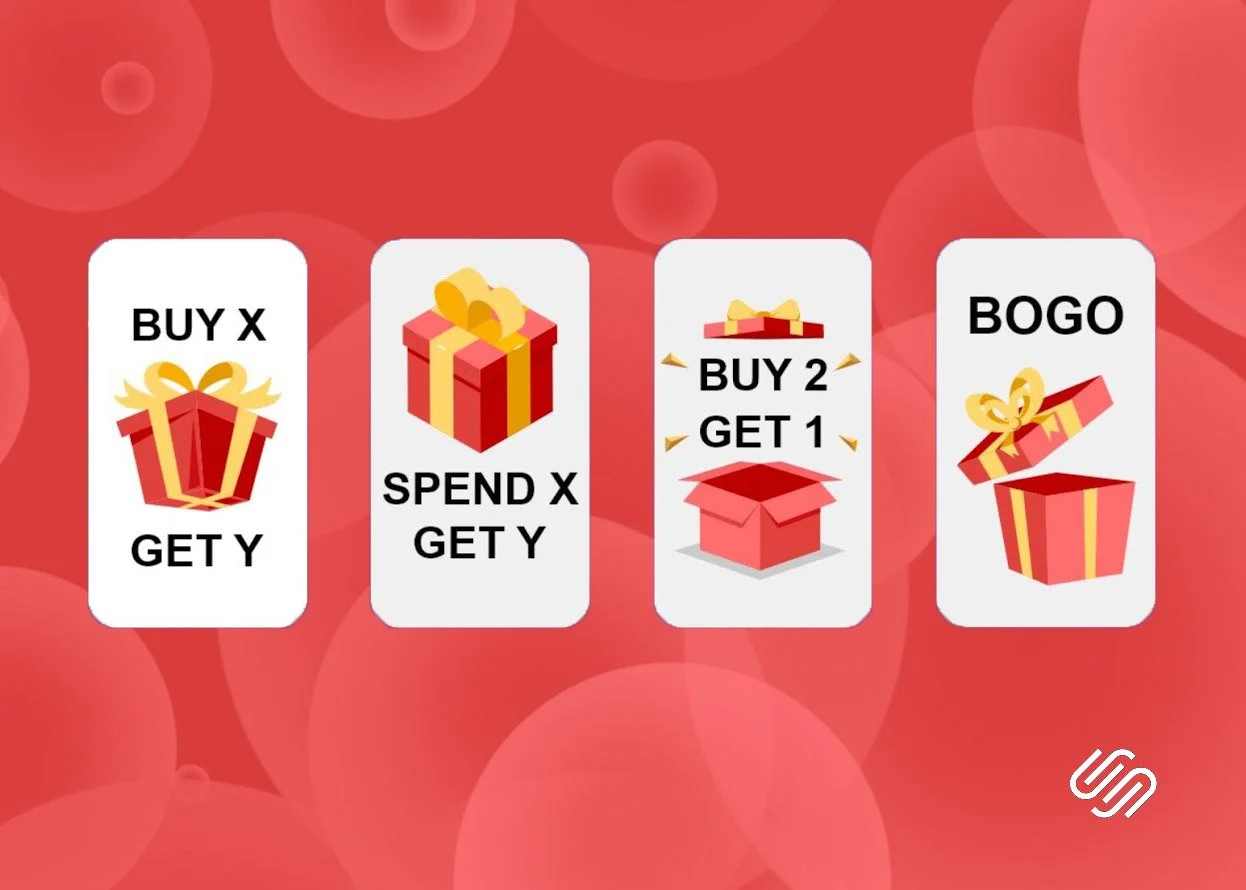
In November 2024, Squarespace finally added “Buy X, Get Y” discounts (also known as a BOGO discount) to Squarespace Commerce.
You can customise the discount to apply to specific products or product categories and choose whether you want your customers to get an amount off, percentage off, or a free item.
This discount can be set to trigger automatically when a customer orders the relevant product or, with an offer code.
This discount feature has been added to both Squarespace 7.0 and Squarespace 7.1 (the current version). Features vary according to your website billing plan. The discount can be used with non-subscription physical, service and download products. It cannot be used for subscription products, digital products or gift cards.

Support for multiple donation funds
In November 2024, Squarespace has added more support for collecting donations. Following the earlier improvements to donations in July 2024, you can now create up to 50 funds, helping you to categorise and merchandise them.
Each fund can have its own name, suggested donation amounts, and recurring donation cadence. If you accept contributions for different causes, you can compare revenue by fund to understand how each is performing. You can connect a fund to its own donation block or connect multiple to the same block to be displayed in a dropdown menu.
For example, if you run an animal shelter, you can set up separate funds for supplies and adoption efforts.
Before this update, it was only possible to collect donations under one general fund.

Improved donations experience
On 1 July 2024, Squarespace made three major improvements for users who want to accept donations this month!
Recurring donations
You can now set up weekly and monthly donations to give donors the option to donate continuously. To accept recurring donations, you must enable customer accounts as customers will need to create a customer account when checking out. Customer accounts also help donors checkout faster as they can securely save their payment method,
New Donation Block
The old Donation Block got a major refresh, with more design flexibility and options for providing more information to donors. You can change the layout of the block, including the buttons’ style, and include descriptions for each suggested donation amount.
If you’re using one of the old style Donation Blocks, it will remain in place. If you want to use the newer format, you’ll need to delete the old block and replace it with the new one.

New Donations dashboard
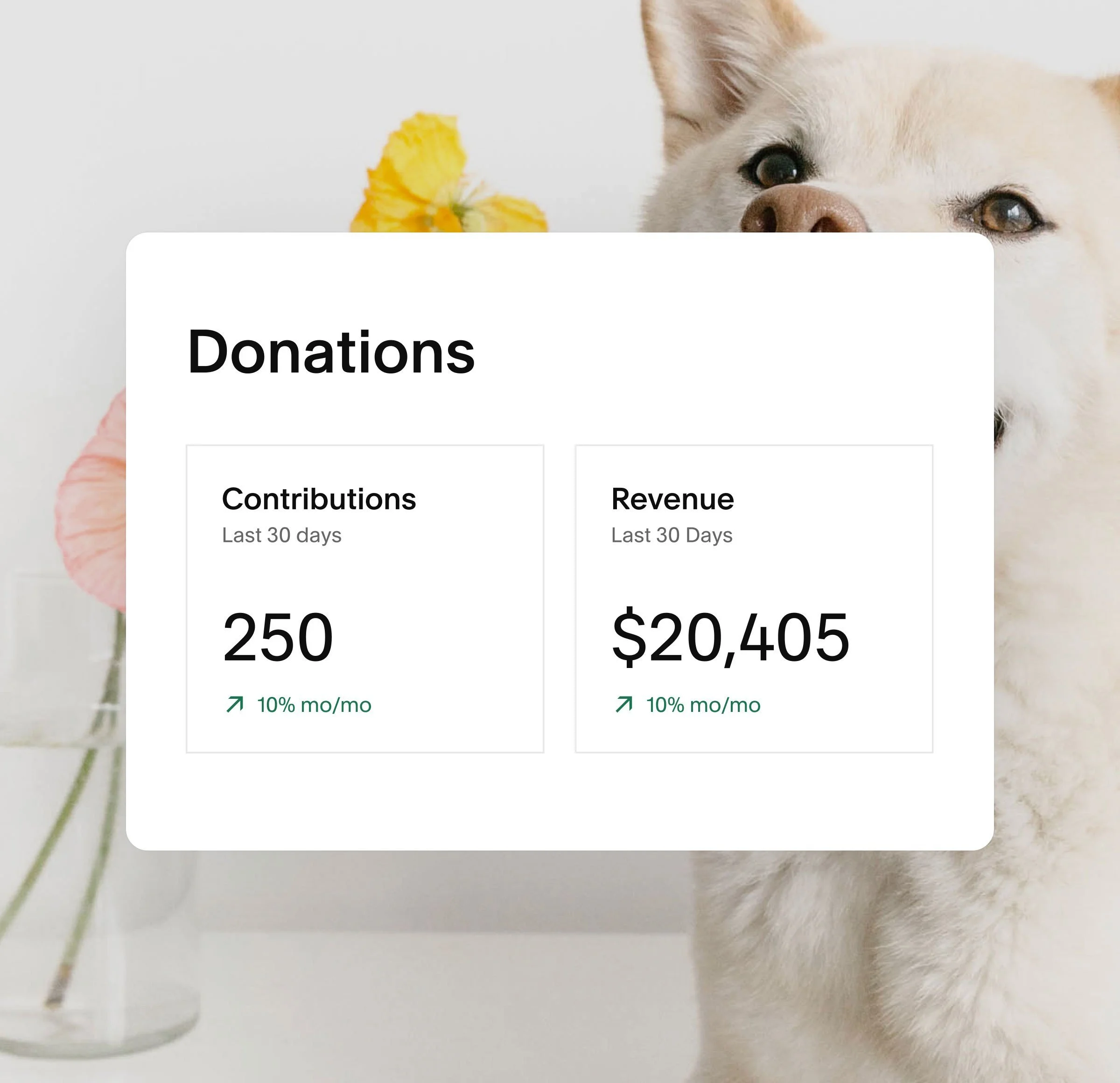
The new Donations dashboard shows you a snapshot of how your fund is performing. You can see the number of total contributions and the amount of donations revenue you’ve received.
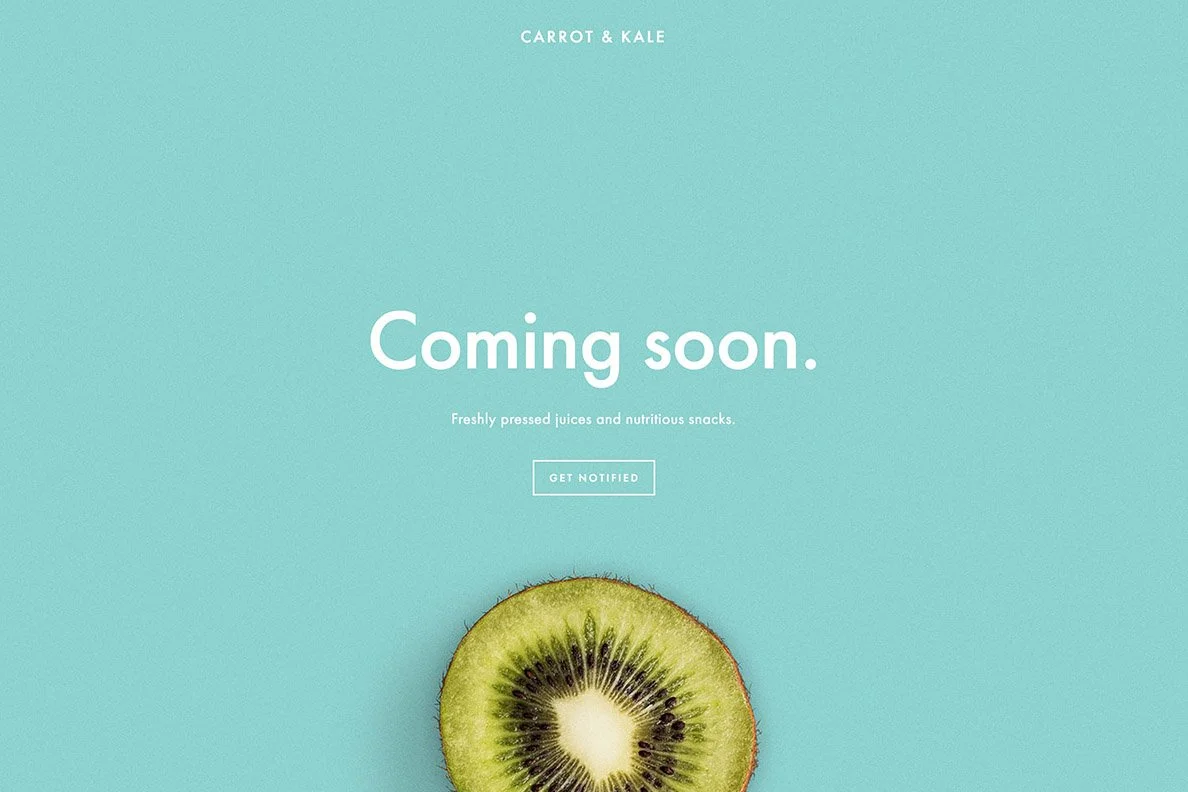
Cover Pages in v7.1
Squarespace has just added Cover Pages to version 7.1!
Cover Pages were previously only available on version 7.0 and so weren’t supported on version 7.1 or by the 7.0 to 7.1 Update Tool. This meant that any cover pages would be removed when migrating from version 7.0 to 7.1 using the Update Tool. If your homepage was a cover page, you were prompted to replace it with a 7.1 supported page type.
From 02 April 2024, the update tool converts your 7.0 cover pages to new 7.1 pages, keeping your content and matching styling as closely as possible. In line with the overall Update Tool experience, you can expect to need to edit migrated cover pages, particularly block placement, fonts, and backgrounds with multiple images or solid color images. Cover page migrations are complemented by the recently released feature to hide headers and footers on 7.1 pages.