
Understandably, there is a lot of confusion about Squarespace’s Point of Sale (POS) offering. Some of this confusion is because Squarespace use card readers manufactured by Square. Although the two companies sound alike, they are completely different and their commerce platforms aren’t compatible!
In this guide I will try to clear up some of the confusion and answer the frequently asked questions, like:
Can I use Squarespace Point of Sale (POS)?
How do I take payments with Squarespace POS?
Can I integrate my in-store Square POS with Squarespace?
How do I synchronise stock levels between Square and Squarespace?
Can I accept Squarespace Gift Cards with POS?
Can I use Squarespace Point of Sale (POS)?
Squarespace Point of Sale (POS) is a US-only feature and there are no plans to roll it out to other countries. [Last updated September 2023]
You can only use Squarespace’s Point of Sale (POS) features if:
you are in the United States of America
you sell physical or service products (not subscriptions)
you sell in US Dollars
you are on a Squarespace Commerce plan
you have site owner or administrator permissions on the website
This is unlikely to change due to the technologies used. Squarespace POS is not on the roadmap for the United Kingdom (UK), Australia, Canada or New Zealand.
How do I take payments with Squarespace POS?
If you are taking payments in US Dollars, you will need:
a recent Apple or Android device capable of running the Squarespace App.
the Squarespace App
a Square account to allow you to take payments via the Square platform (Stripe and PayPal are not supported by POS)
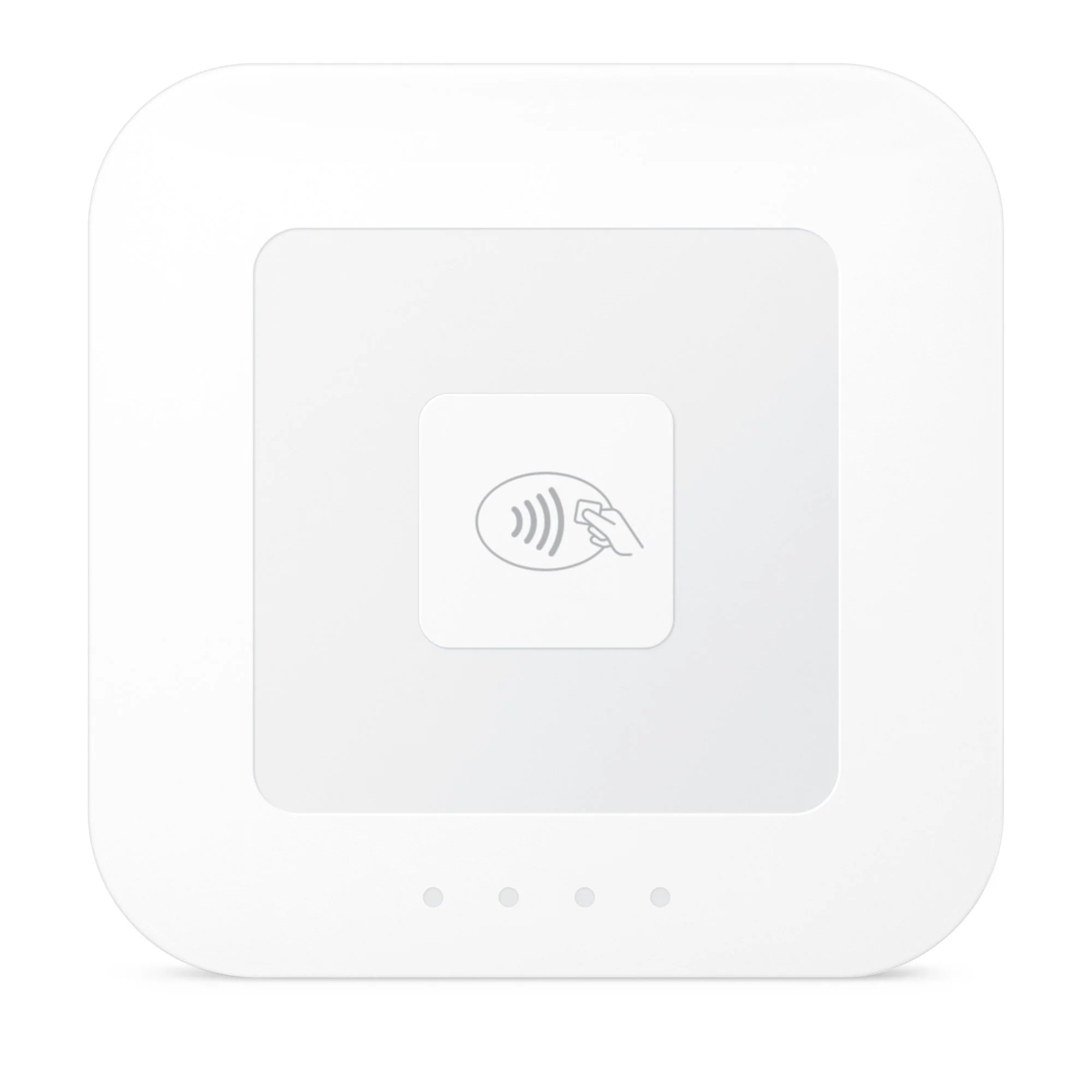
a supported Square reader for payment cards
Note that Squarespace Point of Sale does not integrate with Square POS systems and does not work with the Square Register, Stand, or Terminal (see below).
Can I integrate my in-store Square POS with Squarespace?
No. Squarespace Point of Sale does not integrate with Square POS systems.
If you already use a Square POS in your bricks and mortar business, this will remain completely separate from Squarespace. You cannot use Square Register, Stand, or Terminal with your Squarespace POS.
How do I synchronise stock levels between Square and Squarespace?
If you already have a separate Square POS system, inventory must be managed separately. However, there is a third-party service available called Trunk Inventory that can synchronise inventory levels between the two systems. Personally, I think this third party service is over-priced for small business owners as it costs around US$35 to synchronise up to 100 products - more than the cost of the Squarespace website in many cases. It is also onerous to manage, as you’ll need to add/edit/delete products on both systems and then make changes to the Trunk interface too. That’s three changes for every product you add or remove.
Can I accept Squarespace Gift Cards with POS?
Squarespace POS does not support gift cards. However there is a workaround in the iOS App that allows you to redeem a gift card balance in-person by going through several confusing hoops. You’ll need to be using the iOS version of the Squarespace App (because the workaround isn't available on the Android version). To learn more about this, see the explanation in this Squarespace support guide.
Can customers add a gratuity (tip) when they pay with POS?
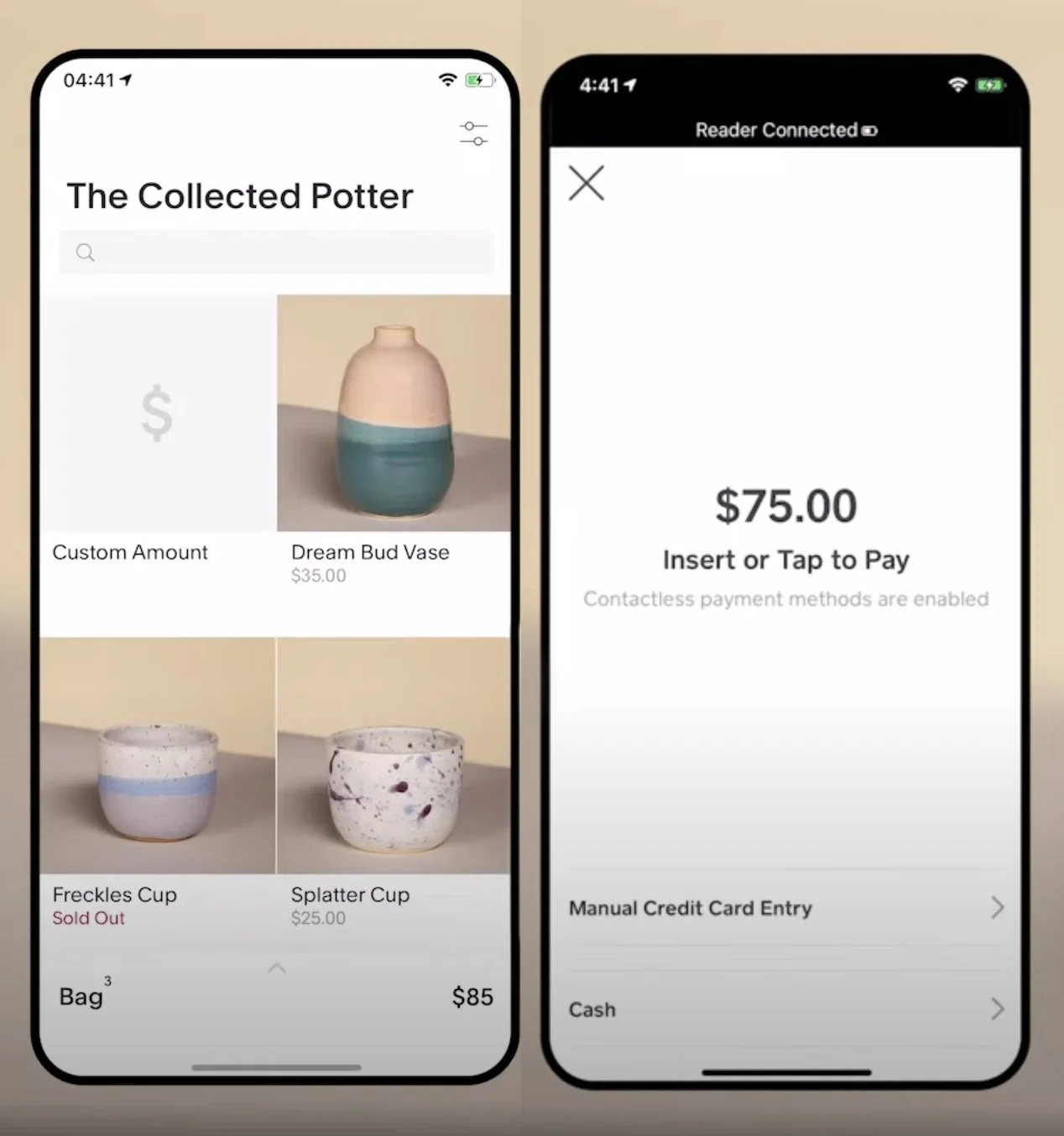
No. Squarespace Point of Sale does not provide customers with an opportunity to add a tip or gratuity when they pay, as you’ll see from the image below. The only options are contactless, manual card entry and cash.
The only workaround is to ask the customer if they would like to add a tip (not an ideal situation) and then you can use the ‘Custom Amount’ option to add it to the bill. You’ll have the opportunity to type the amount and to add a description like “Gratuity”. You can then hand the device to the customer to allow them to pay.
Can I use Squarespace POS in the UK?
No, Squarespace POS is not available in the United Kingdom and is not on the Squarespace roadmap.
Can I use Squarespace POS in Australia?
No, Squarespace POS is not available in Australia and is not on the Squarespace roadmap.
Can I use Squarespace POS in Canada?
No, Squarespace POS is not available in Canada and is not on the Squarespace roadmap.
Can I use Squarespace POS in the New Zealand?
No, Squarespace POS is not available in New Zealand and is not on the Squarespace roadmap.
