
Summary Blocks are really useful for displaying information from Squarespace collections, like Events, Blog Posts and Products. One popular use of a Summary Block is to display upcoming events, for example a list of exhibitions or a list of job vacancies that haven’t closed. However, if there are no upcoming events, the summary block will be blank, leaving site visitors confused.
This guide explains how to automatically display a helpful message in place of an empty Summary Block. It uses a few lines of JavaScript, so you’ll need to be on a Squarespace Business Plan or above (Personal Plans don’t support script).
Getting Started
First, create your Events page.
Next create a page containing a Summary Block, and then connect the Summary Block to the Events collection.
Adding the Code
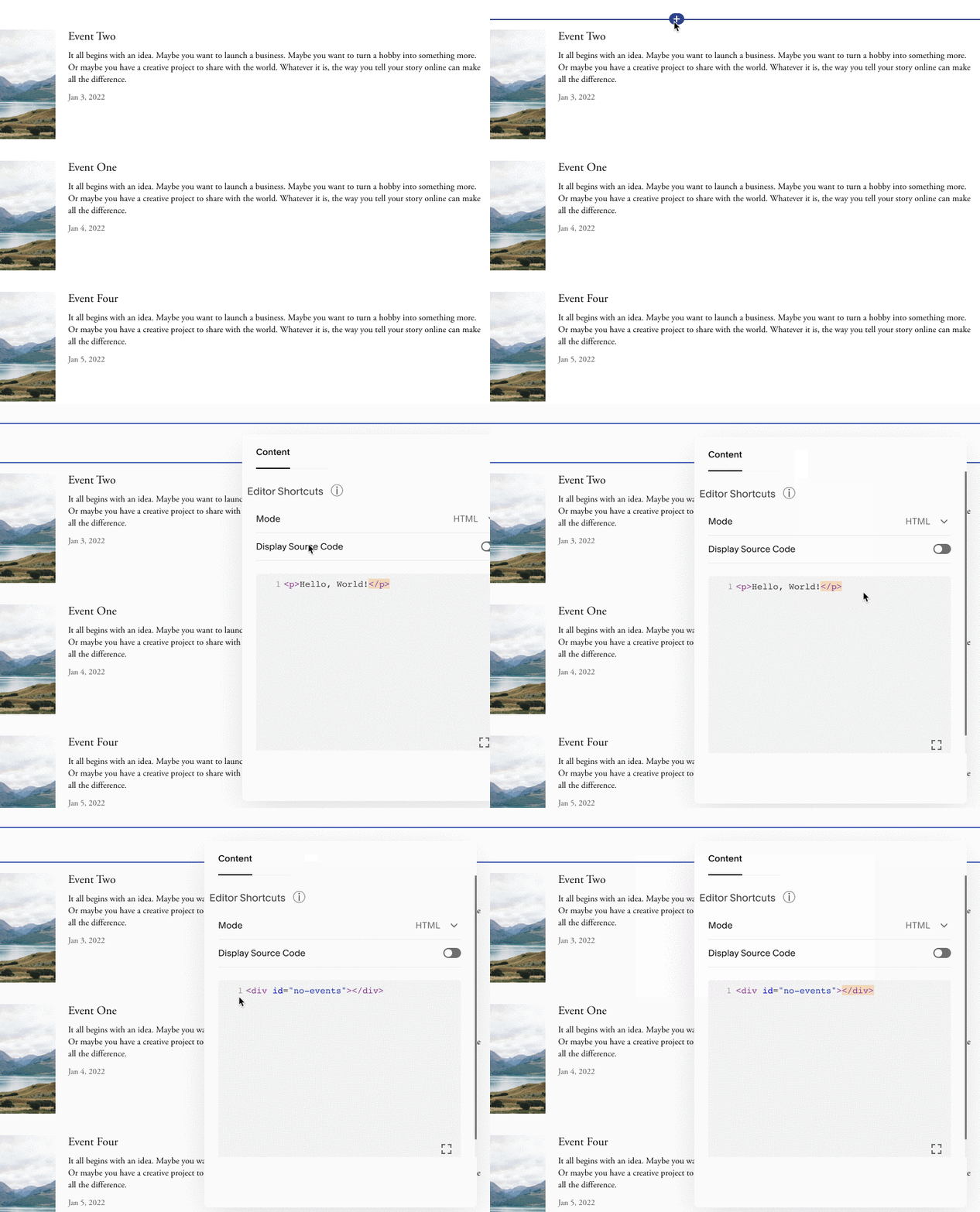
Add a Code Block just above or just below the Summary Block.
Add this HTML to the Code Block to create an empty div element with an ID of ‘no-events’:
<div id="no-events"></div>
Like this:
Now paste the following script into the same Code Block:
<script>
  window.addEventListener('DOMContentLoaded',function () {
    var sfSummaryExists = document.querySelector(".summary-title");
    if (sfSummaryExists == null) {
      document.getElementById('no-events').innerHTML = "There are no vacancies at this time. Please check back later.";
    }
  });
</script>
Edit the custom message to suit your needs. My example message is for a page showing job vacancies.
Save the changes.
If your Events page contains upcoming events, the page with the Summary Block will show them as normal. When there are no upcoming events, the custom message will be displayed.
Troubleshooting
This guide was written and tested on Squarespace 7.1. Although it will work on Squarespace 7.0, it has not been written to work with Ajax Page Loading on Brine templates.
If you see the message “There are no upcoming events at this time.” instead of your custom message, you are probably looking at the actual Events page and not the page containing the Summary Block.
