
How to display a warning explaining that a Squarespace site has a minimum legal age
There are laws that restrict the sale of certain products and services to underage people. If you run a Squarespace website to sell such products, you must prove that you took reasonable steps to ensure that you didn't sell a product to anyone who is underage.
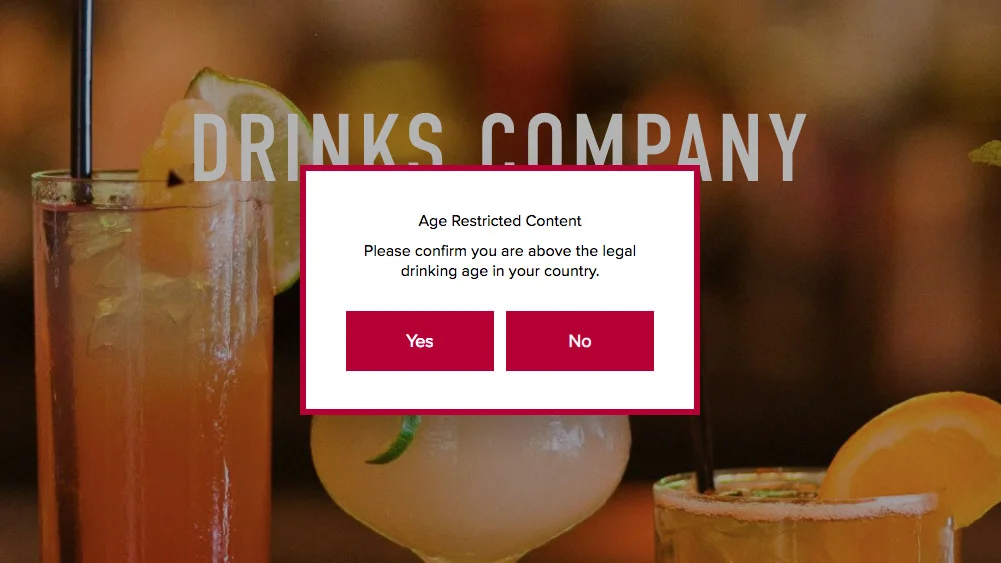
A common first step is to display a warning to website visitors, explaining that the site is for people over the minimum legal age. These are often called ‘age-gates’ or ‘age verification systems’ - fancy names. Squarespace doesn't do this 'out of the box', so we've built a simple plugin that you can add to your Squarespace website. Below is a screenshot what it can look like. You can try it here.
How does it work?
When someone visits your website for the first time, they'll see the popup. Your website will be displayed 'underneath' the popup, but a semi-transparent overlay will prevent them accessing the site until they click one of the buttons in the popup.
If they tap the Yes button, the popup will disappear (in an animated way) and they'll be allowed to access your site. A cookie will be created on their device so that the popup doesn't reappear for a set period of time. You define the period in minutes!
If they click the No button, they'll see a message explaining that they cannot visit the website. A button in the popup allows them to return to the website they were viewing previously.

Can it be customised?
Yes! You can customise everything about the popup. For example, you can modify the wording to make it suitable for your site or you can completely change the language. This includes the wording on the buttons (Yes, No and Go Back). You can also change the colours of everything - the text, the background and the border.
You could also resize the popup if you wanted to, but we’ve made it pretty flexible already, without affecting your site’s SEO. If a popup occupies too much screen space - especially on mobile - it can affect your site’s SEO. This popup is 400 pixels wide x 250 pixels high and centred it on the display. It is responsive so that on smaller mobile screens the width is reduced to 320 pixels.
How can I add this to my Squarespace site?
It's straightforward to add this to your Squarespace website. If you're familiar with copying and pasting you’ll be able to copy the code into the Code Injection area and CSS into the Custom CSS Editor. We provide full step-by-step instructions with the extension. If you get stuck, we’ll help you but if you’re not confident about doing this yourself, you can book us to install it for you.
Purchasing the Extension
The example above is our Age Verification Extension. You can purchase the extension here.
Limitations
The extension is compatible with all Squarespace template families.
Your Squarespace website must be on a Business Plan or higher, because Squarespace Personal Plans do not support extensions or code.
