
Squarespace Release Notes
Explore the latest releases, improvements, and fixes.
This page includes updates that are publicly available or in public beta. Details of upcoming releases and private betas can’t be shared. 👀

Klarna added
Following the launch of Squarespace Payments in the US in late 2023, Squarespace have been introducing alternative payment methods to widen the payment options that are available. Today, Squarespace have added Klarna, a buy now, pay later (BNPL) solution. At the moment, this is only available for sellers in the US due to the integration with Squarespace Payments, but a wider rollout is planned in 2024.
Klarna offers
Klarna Installments: pay for a single purchase in four payments
Klarna Financing: finance a larger purchase over a longer period of time
Pay now: pay for the purchase immediately using a linked card, bank debit, or bank transfer
If you are based in the US and have already onboarded to Squarespace Payments, go to your Store Payments panel under Selling and toggle Klarna to “on” to begin accepting payments made with Klarna.
AI improvements for brand identity
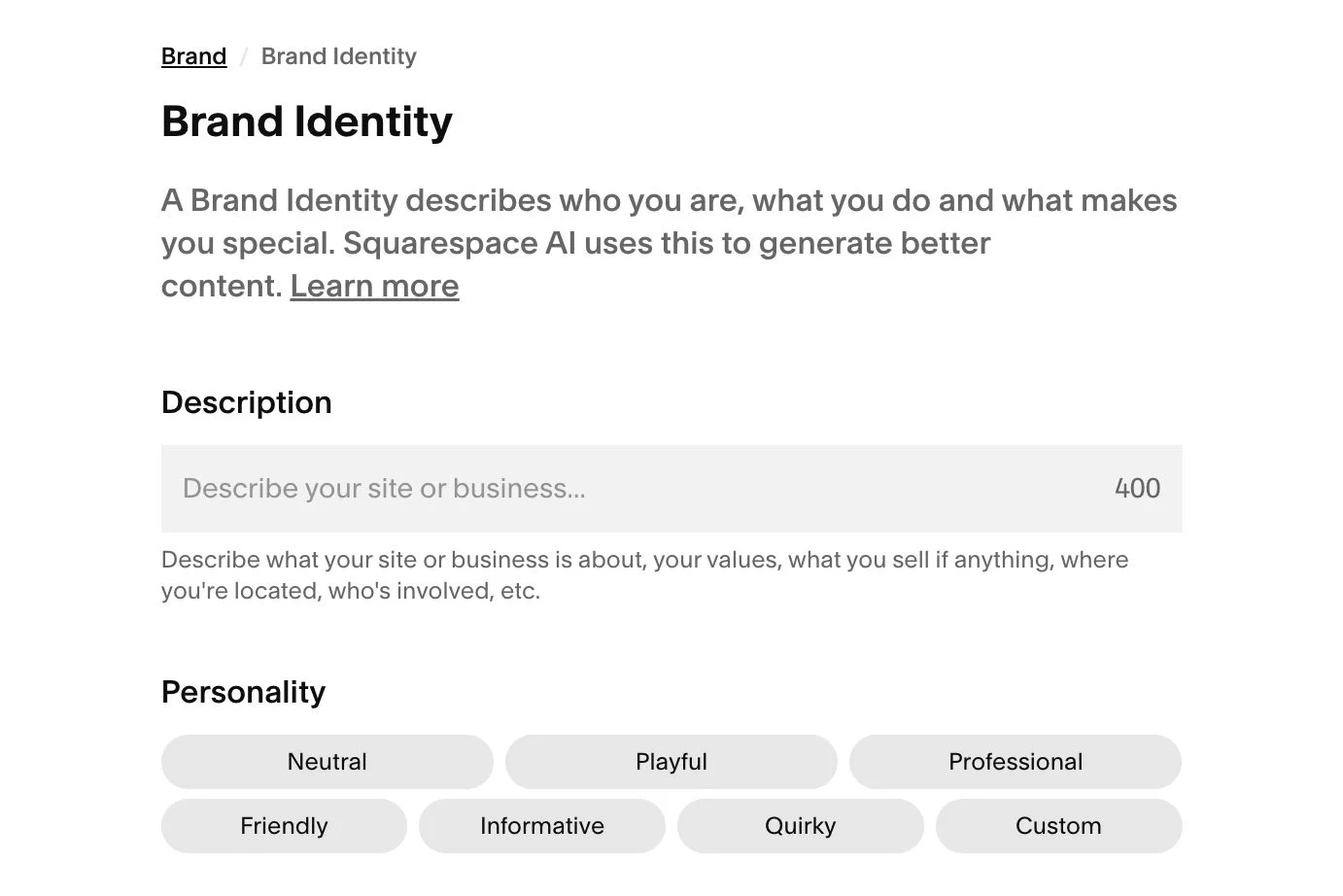
Squarespace are gradually introducing Artificial intelligence, or AI, into the platform. This new feature helps site owners to create text content that is on brand by producing a response aligned with their brand values, messaging, and unique selling points. Brand Identity information can also be added through Squarespace AI in the text editor, resulting in more authentic and engaging descriptions that resonate audiences.
New form effects
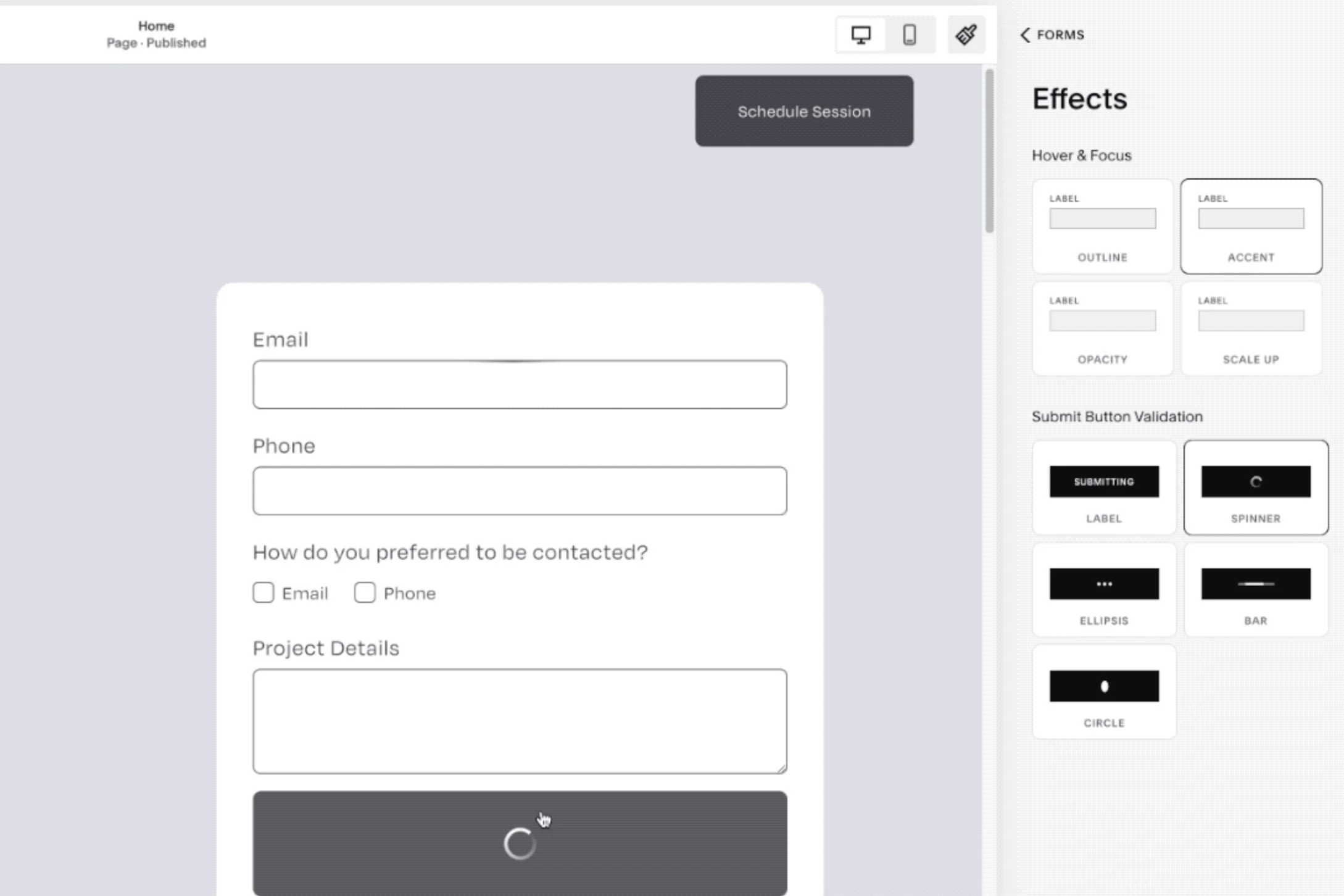
Following the successful release of Form Style Packs in 2023, Squarespace have now released Form Effects to improve the liveliness of forms.
These Form Effects include the following optional experience gestures:
First input highlight effects
Hover and focus effects
Submit button effects
Post-submit message styling options like text style options and preview improvements
These changes are a welcome development but they inevitably include a number of markup changes that will affect existing customisations. For example, Text input, Number input, Text Area, and Dropdown select elements now include additional span elements directly after the input element (before the input prefix, if present). These elements are now positioned using CSS Grid. Form submit button label text is now wrapped in a span and contains additional nested span elements after the label span.
Block pinning (‘sticky’)
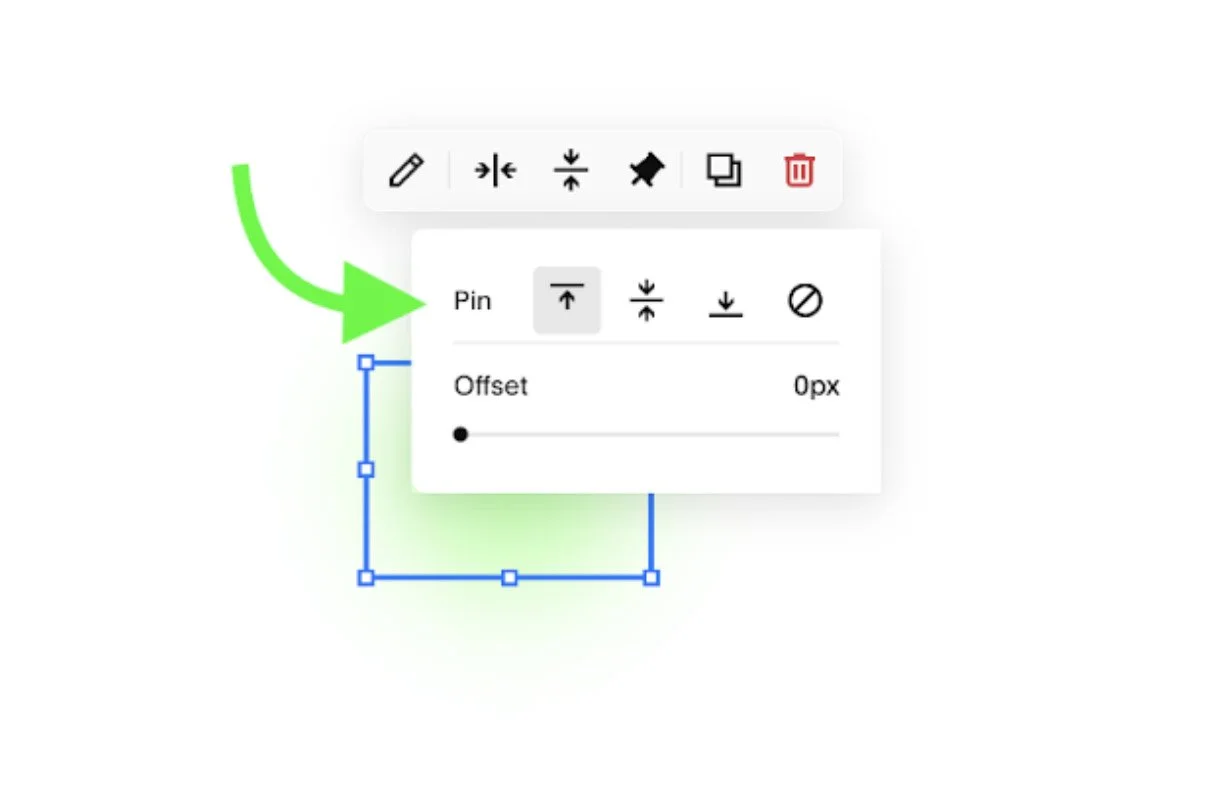
You can pin any Fluid Engine Block on any Section to the top, center, or bottom of the browser viewport for the height span of the selected section. This new feature uses the CSS property called “Sticky”.
Squarespace has also built in support for offset spacing in case you’d like to dial in the distance between the pinned block and the viewport edge. It defaults the offset to pixels (for ease of understanding for most users) but it supports more powerful units like VH.
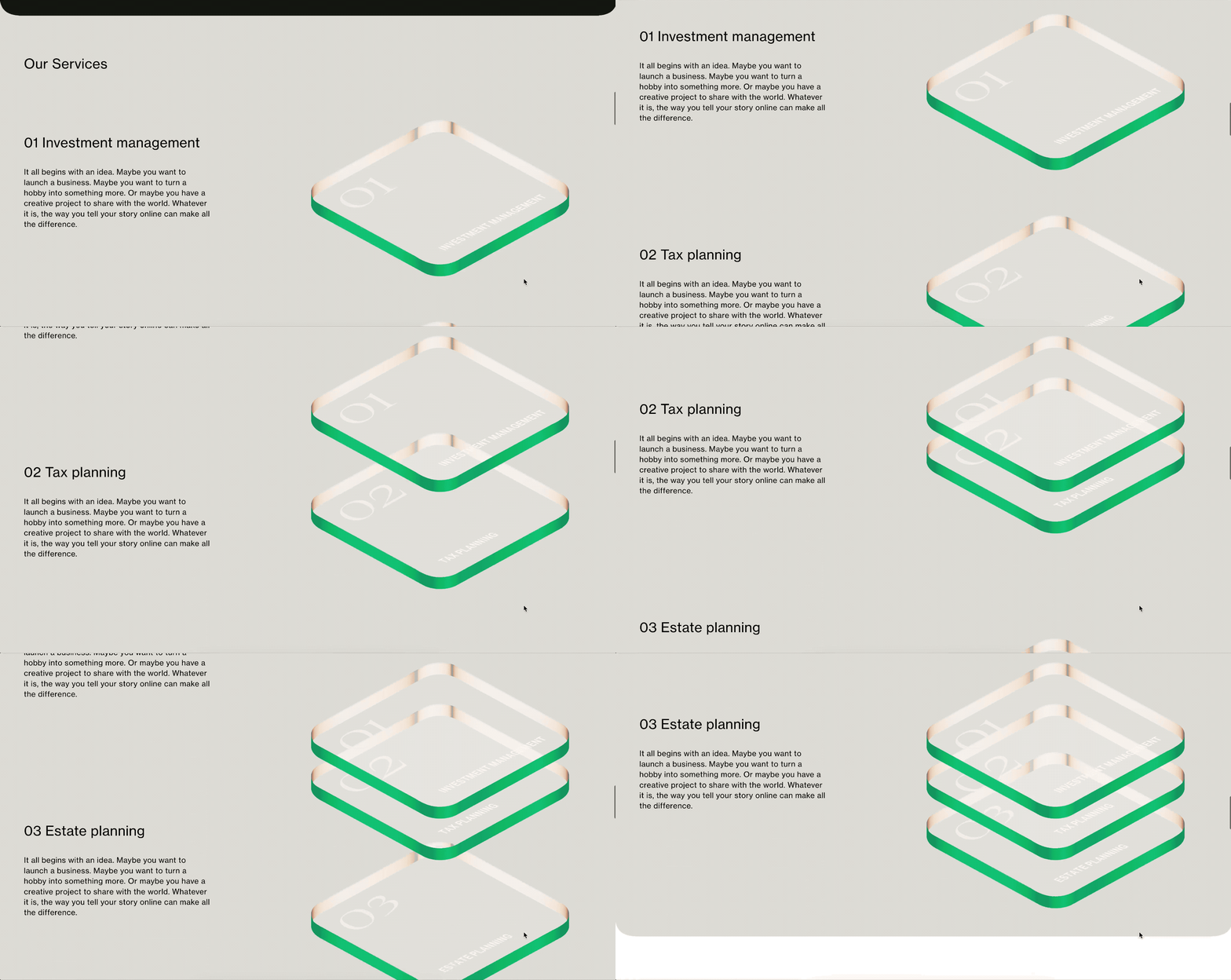
An example of pinned blocks
Block styling options extended
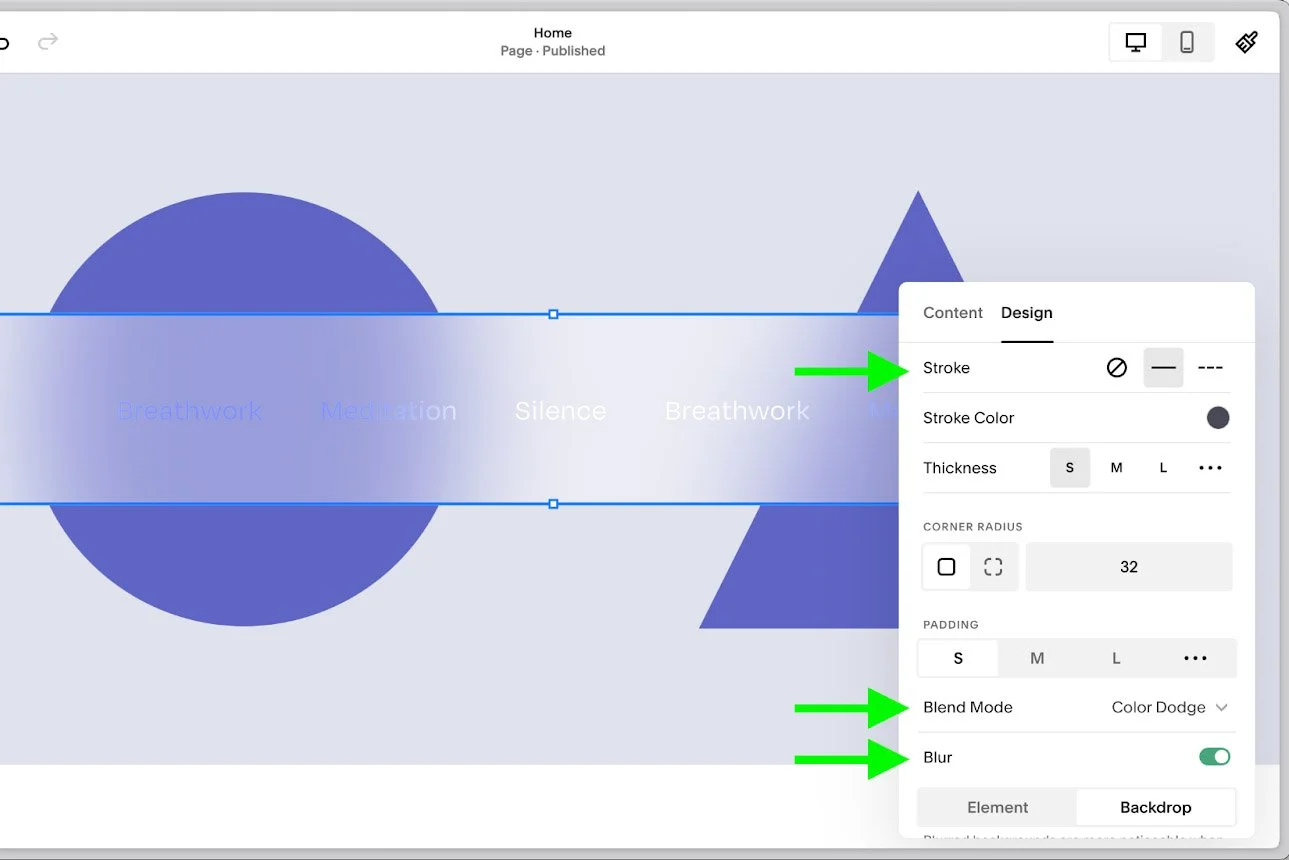
Squarespace have increased the styling options available on seven important blocks. The options include:
Blur (blur as backdrop or the block itself)
Blend Mode
Stroke
The seven blocks that have been updated are:
Accordion Block
Form Block
Newsletter Block
Quote Block
Scrolling Block
Summary Block
Text Block

New video paywall
A new paywall has been released for merchants selling videos. The new video paywall follows industry best practice by placing the paywall over only the video player instead of the entire page. This experience helps site visitors browse a video library and explore its content before making a purchase. This is likely to increase visitors’ confidence and therefore increase site conversion.
When editing the paywall settings for your Videos collection, you will now see a new option to position your paywall to “Video player only.”
New Link Editor
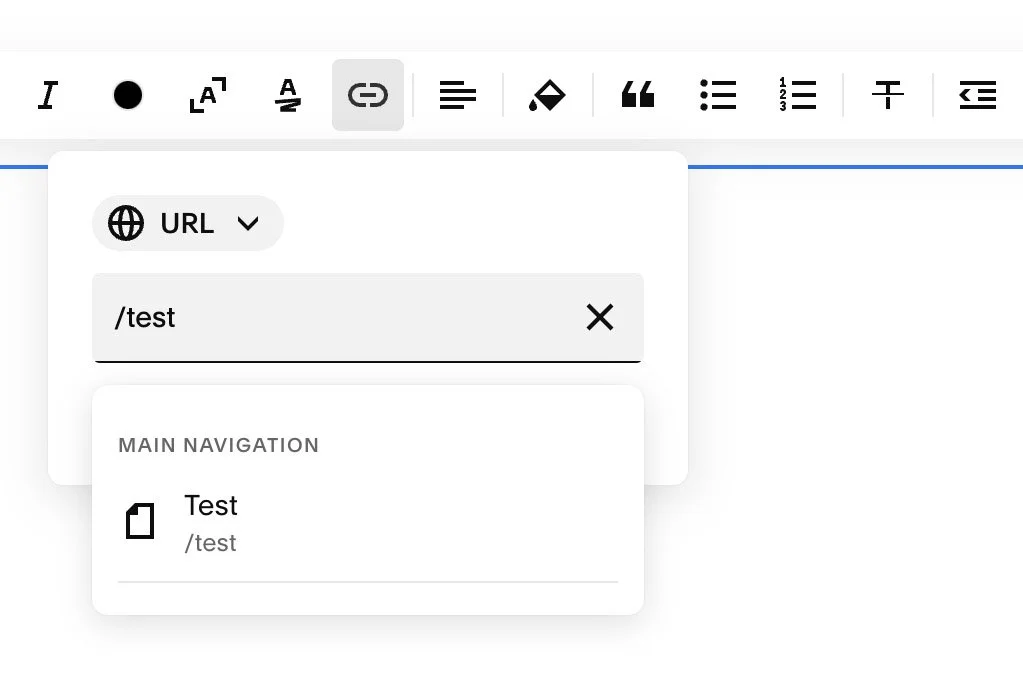
Changes have been made to the Link Editor to reduce the number of clicks required to add links. Some of the changes include:
Autodetection of different link types
Ability to upload file via drag and drop
All link settings exposed in modal (including open in new tab)
Removed extra apply action
Unfortunately, a number of issues were found with the new editor and we’re now waiting for these issues to be resolved. For example, whenever I paste some text that looks remotely like a domain name (for example, SF.DIGITAL) it is automatically converted into a link! It's like Clippy is back from 1997 to haunt me.

Fluid Engine Resizing
December 2023
You can now resize blocks symmetrically while holding the command key (Mac) or the option key (Windows) and arrow keys.
Learn more about Squarespace keyboard shortcuts.
Header usability improvements
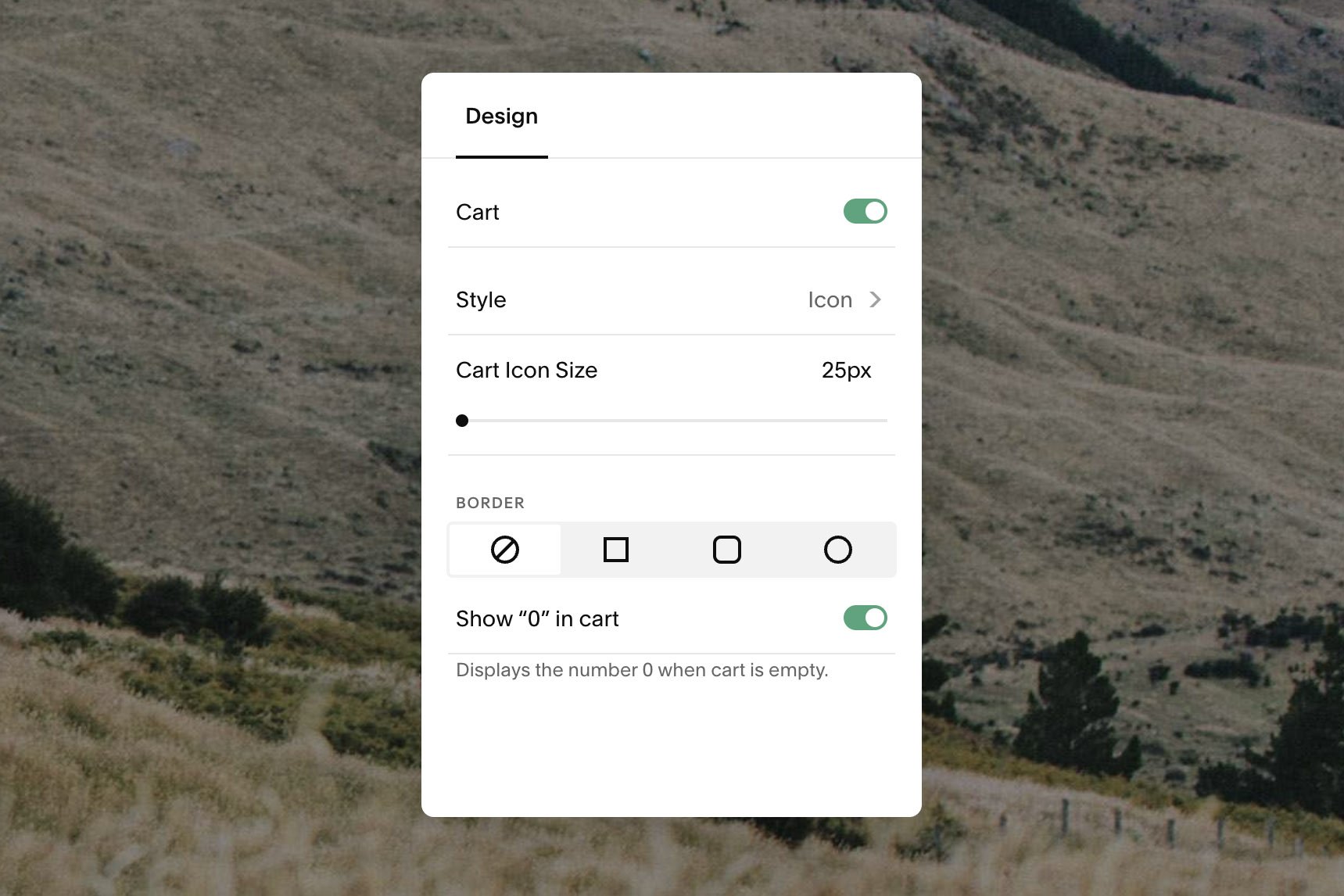
New Squarespace users often found it difficult to make structural and styling edits to their site header. To address this, Squarespace made improvements to the editor experience, replacing it with direct editing features for each header element. Users can now find a setting by just clicking on a visual element without having to navigate a menu, just as they would with section blocks.
Subscription product renewal notifications
04 January 2024
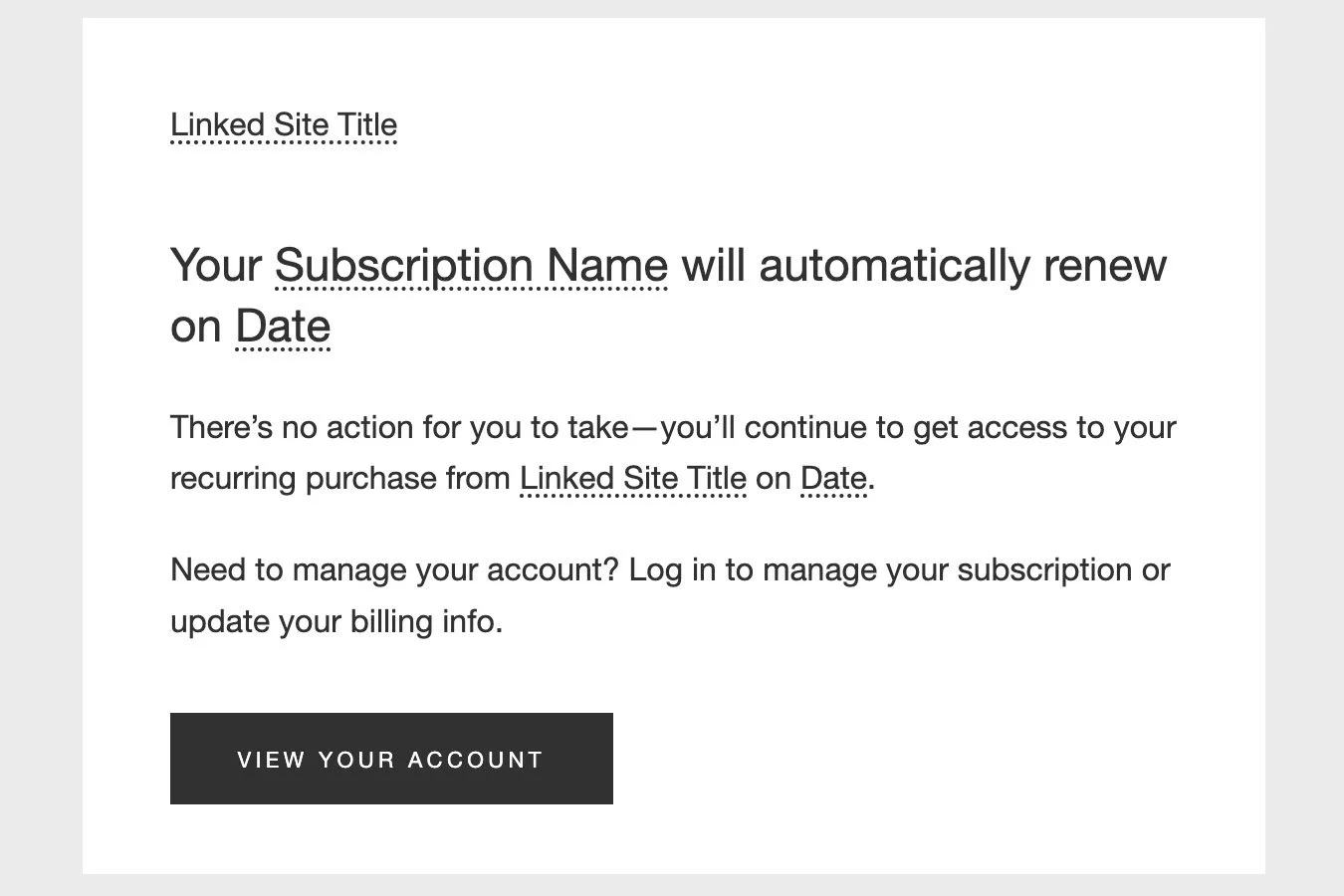
You can now send renewal notifications to customers before their subscription renews, helping you to comply with local consumer regulations and upcoming legislation.
If you sell subscription products, you can send customised renewal emails to customers. The renewal notification is sent 15 days prior to the renewal and is ideal for subscriptions that renew quarterly or less often. The notifications are only enabled for 12-week subscriptions, or subscriptions for three months or more.
You can customise the notifications in Selling > Selling Tools > Customer Notifications > Subscription Orders > Subscription Renewal.

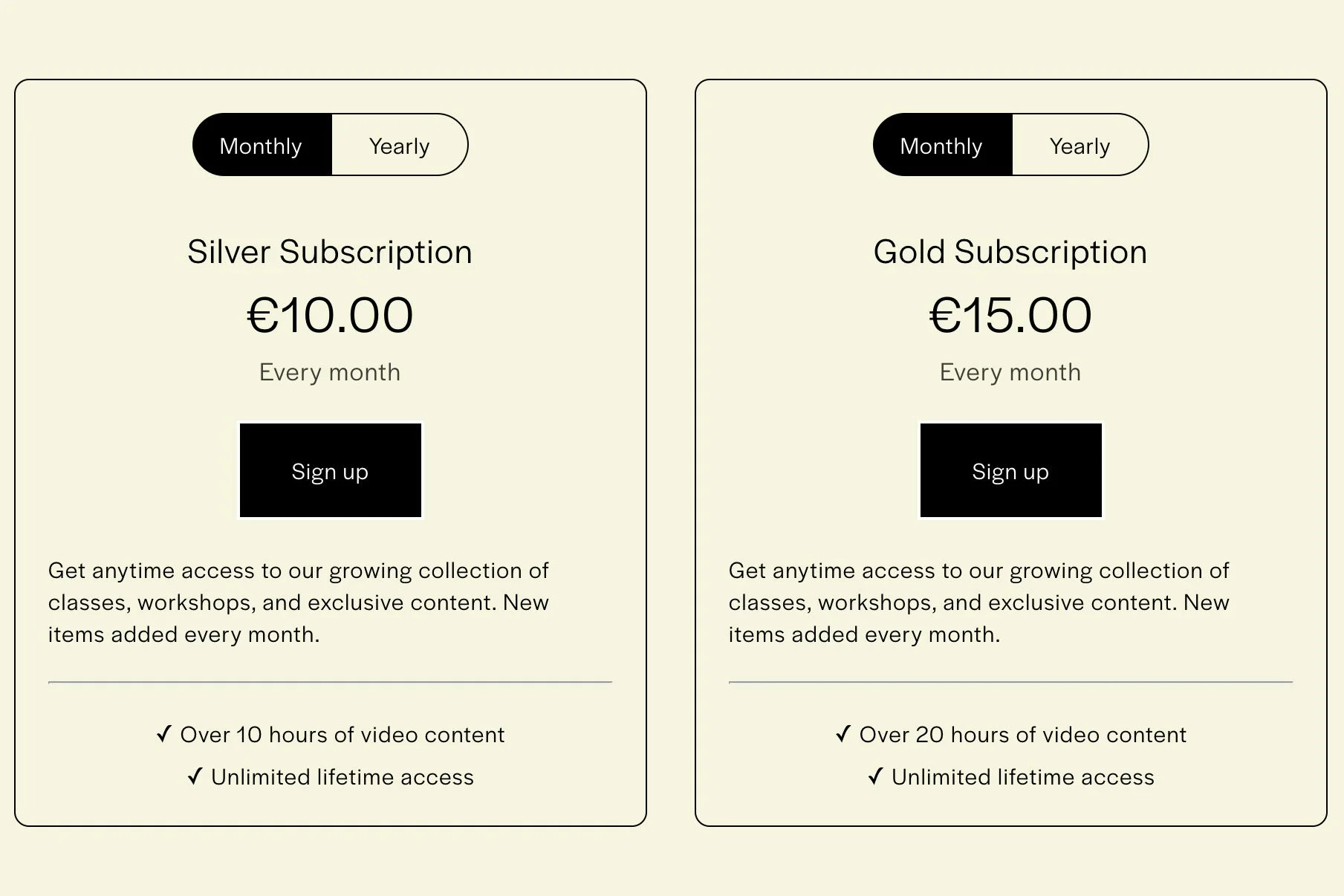
Improved Paywalls for Digital Products
Squarespace have made some major improvements to paywalls used for Courses, Member Sites, and Video Libraries.
The paywall page for digital products can now show all pricing plans available for that ‘product’, enabling a seamless merchandising and checkout experience for potential customers. These new settings are in the Paywall tab for each Course, Member Site, or Video Library.
If there’s a pricing plan that you don’t want to show on the paywall, you can click the ‘eye’ icon to hide it.
Pricing plans can be re-ordered by dragging and dropping the available plans.
This feature is a phased release to all version 7.0 and version 7.1 sites from early December 2023 and should be available on all sites by 14 December.
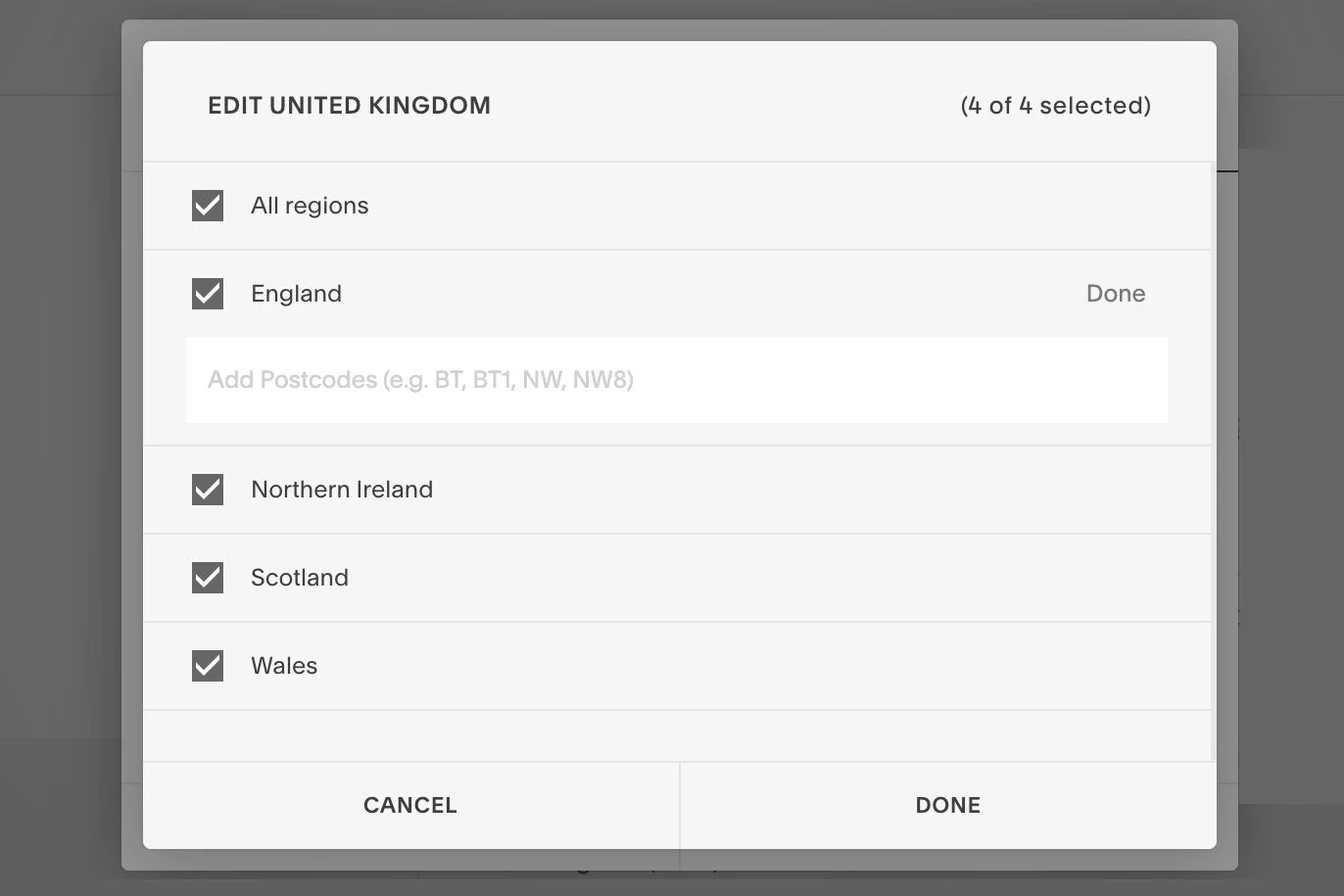
Postal code shipping now available on all Business and Commerce plans
Regional shipping and delivery in the US, Canada, United Kingdom, Australia, and France was previously limited to Commerce Advanced Plans only. From December 2023, this has been extended to all Business and Commerce plans.
Squarespace Payments
Squarespace Payments is a new payment solution that is now natively built into Squarespace in the US and will roll out to other countries in 2024.
Squarespace Payments uses Stripe as a white-label payment gateway that Squarespace customise to their requirements and rebrand as their own whilst still benefitting from a percentage of all payment that are processed. Stripe has a strong track record in the industry and already offers a robust and flexible solution that has been available on Squarespace for many years.
If you are in the US, you can collect and manage payments from your customers, all within Squarespace. With Squarespace Payments, you don’t need to log on to a third-party payment provider: all your payment and payout information is available right in your Squarespace dashboard.
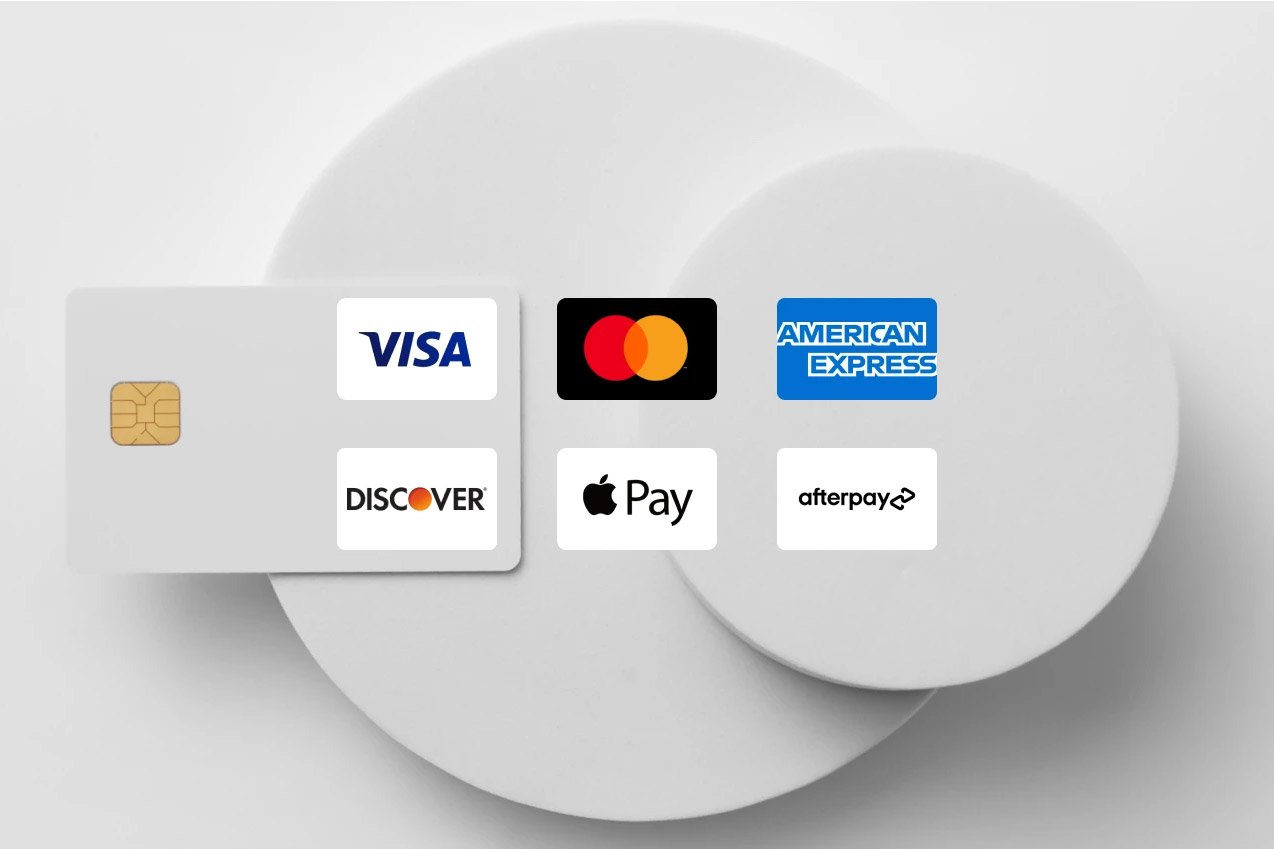
Squarespace Payments can be used with debit and credit cards from Visa, Mastercard, American Express, Discover, Diners Club, JCB, UnionPay, and Cartes Bancaires as well as Afterpay, Klarna and Apple Pay.
Additional payment methods are planned in 2024.
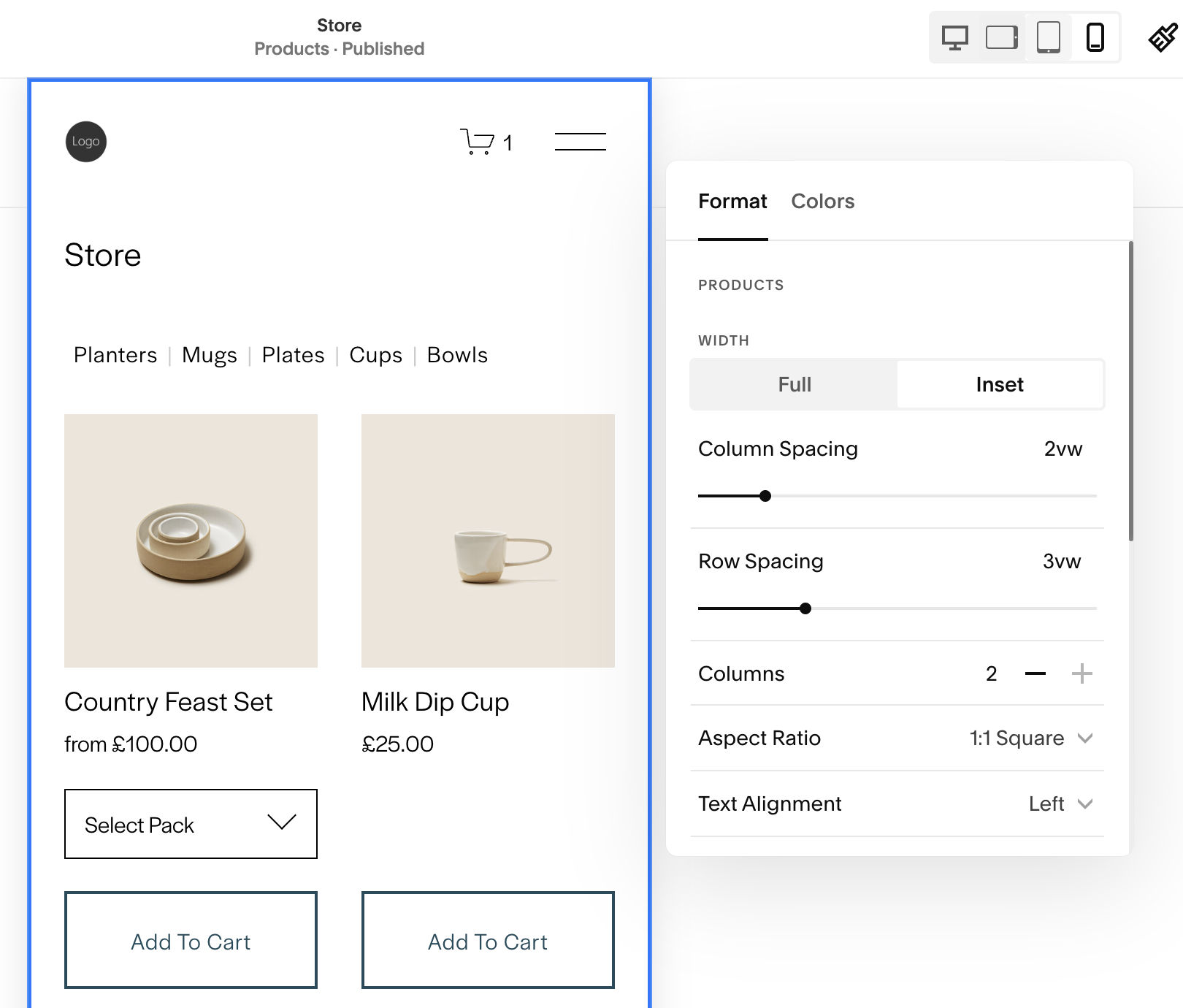
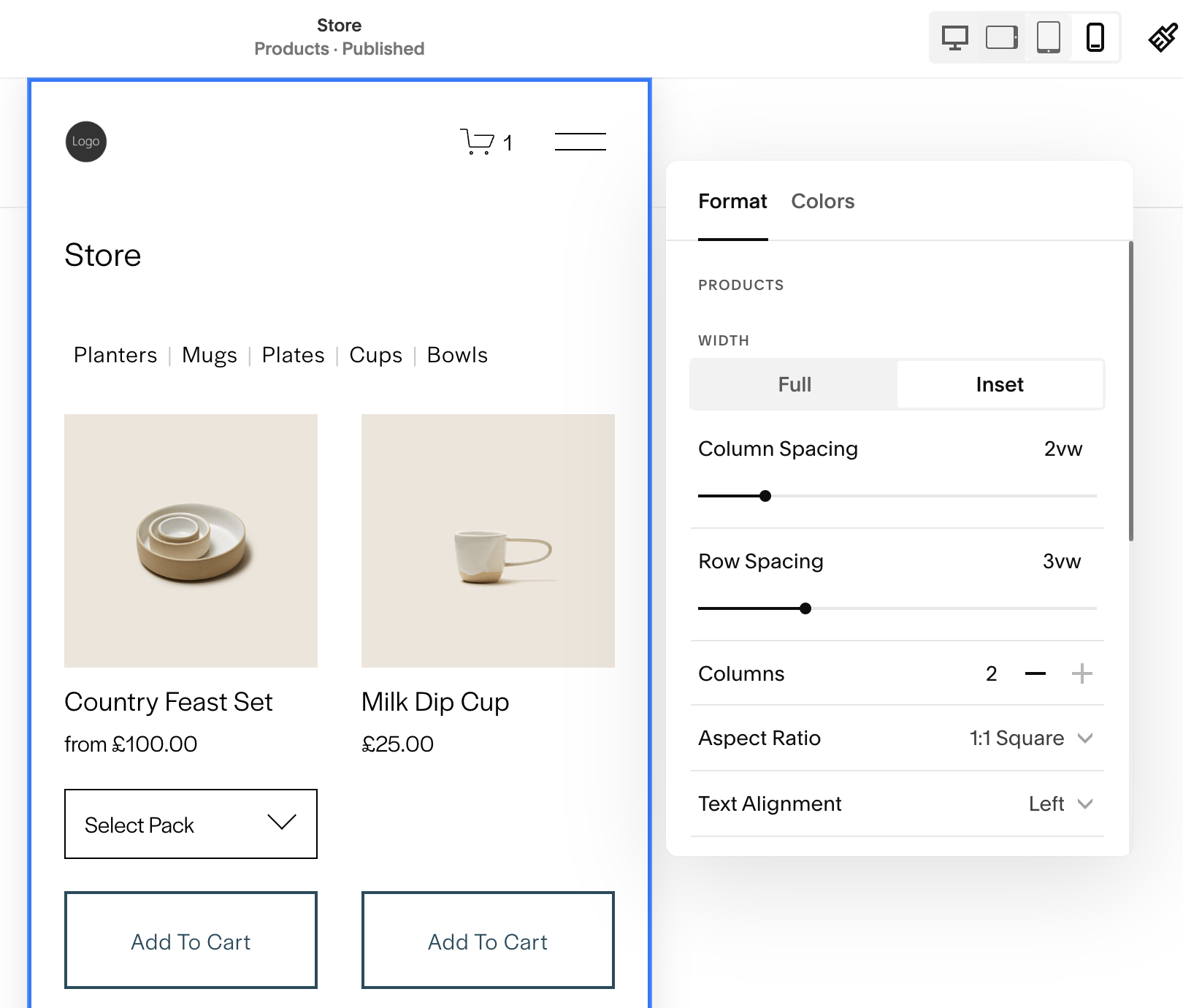
2-Column mobile layout on store pages
14 September 2023
You can now display your products using two columns on mobile devices. This feature was already available on some Squarespace 7.0 templates but it is now finally available to Squarespace 7.1 users - without using CSS! You can access this feature, by editing the section within a Store page.

Squarespace Courses
21 August 2023
Today, Squarespace announced ‘Courses’ a new digital service that allows customers to create and sell professional online courses from their Squarespace website, without requiring third party services.

Project Management and Invoices
Project Management is a new suite of tools to help you sell services on Squarespace.
With Project Management, you can go from reviewing leads to receiving payment in one streamlined, customisable workflow. Here’s what’s included on day one:
Client intake forms and customer relationship management
Project management
Invoices
Capture leads through an intake form on your site. Responses from potential clients are available directly in Squarespace, and you can start a project directly from the submission.
Stay on top of all of your projects and upcoming tasks from the project management dashboard, where you can view your clients, projects, and key milestones all in one centralized place.
Accept payments from clients professionally and maintain a consistent brand presence with an invoice that matches your brand identity.
Project Management is already available in English, Spanish, French, German, Italian, and Portuguese.

Add products to the cart directly from the Store page
You can now include ‘Add to Cart’ buttons directly on a Product List Page (PLP). The button will appear directly under each product, allowing customers to many products to their cart with ease.
If a product has a single variant (such as small, medium, large) the variant dropdown will appear above the Add to Cart button. If the product has more than one variant (for example, size and colour), the button caption will change to View Options and will open the Product Detail Page (PDP) instead, allowing users to select from more complex options.
Font code changes
28 July 2023
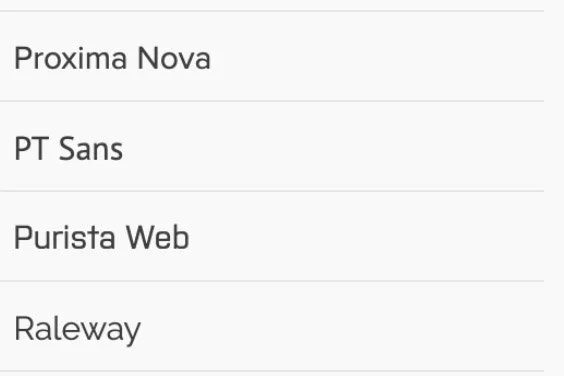
Squarespace are making changes to the way fonts are rendered on websites. These are code changes and should not affect websites without custom code.
If you are using a website with Custom CSS to modify fonts in any way, these changes are likely to impact the way your fonts are displayed and will likely require you to modify the CSS.
Form submission storage update
21 July 2023
Form Block submissions can now be stored directly Squarespace.
In addition to the external storage options that are already available, such as sending form submissions by email or to a Google Sheet, form submissions can now be saved directly within the Squarespace user interface.
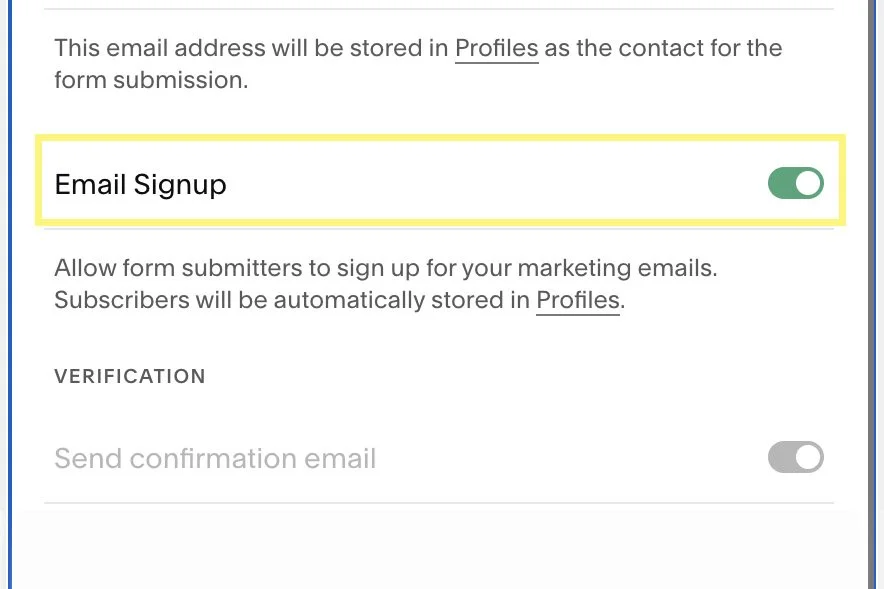
When you add an email field for a form block and make it ‘required’, a new “Email Signup” option appears. When enabled, the email address of anyone submitting a form will be added to “Contacts” (formally “Profiles”) and you can refer back to their entire form submission - although it may take some clicking to find it!
Mobile-friendly blog editor on Squarespace app
19 July 2023
On the iOS version of the Squarespace app, you can opt into a new mobile-focused blog editor with a mobile-optimized rich text toolbar, simplified block menu, and immersive edit mode.
You can opt into this feature in the Settings panel under Blogging.