
Squarespace are updating the Form Block on all Squarespace websites to make them more usable by global visitors . These changes aim to resolve problems for non-US visitors, related to addresses, phone numbers, dates and times.
This Form Block redesign involves considerable change to form fields, formats, styles and page markup. It will adversely affect custom code, including third party extensions and plugins. For details of how this affects our products, please see further down this page.
What is changing?
There are many changes ‘under the hood’ but there are four main visible changes, affecting four form fields (Address, Phone, Date and Time) as well as some design changes to all fields, as explained below.
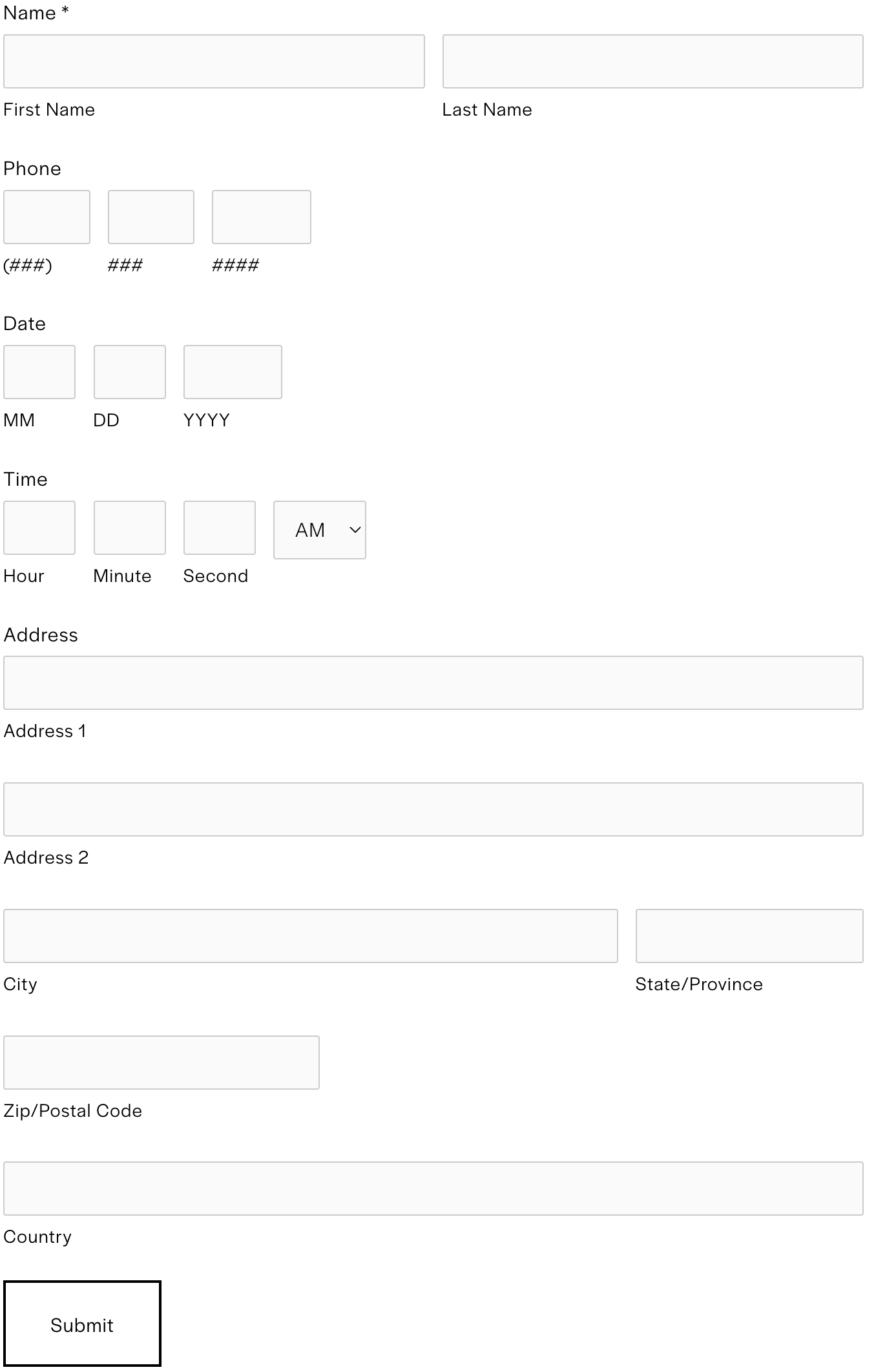
Before - the old Form Block design/layout
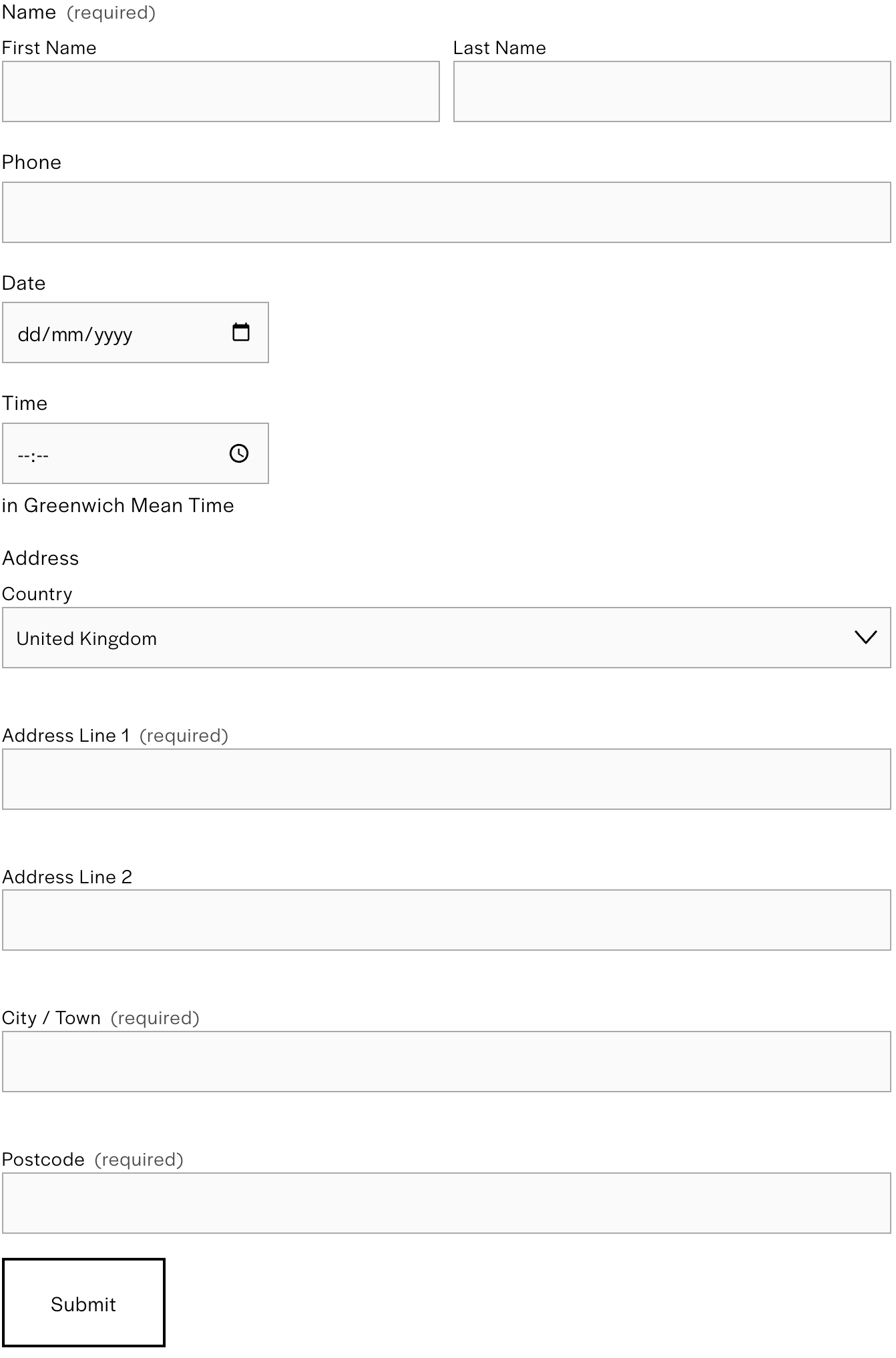
After - the new Form Block design/layout (on a UK website)
Address
The Country field is now a dropdown, and placed at the top of the address block. The remaining address fields will change depending on the selected country, including which fields are “required”. The default country in the dropdown is pulled from Website Country in the Regional settings.
Phone
Phone fields now have an optional country code dropdown. This default country code is also pulled from Website Country. Visitors should be able to enter an accurate phone number for their country, without requiring the previously enforced US telephone number format.
Date
The date field now uses the browser’s native datepicker. This datepicker differs between browsers and cannot be customised. Visitors can type directly in the field, or use the datepicker.
The date field will render in a format that matches the “device locale” of the visitor. This means that a “en-US” visitor will see MM-DD-YYYY whereas an “en-GB” visitor will see the date correctly formatted as DD-MM-YYYY. This means visitors can enter a date in the format they’re accustomed to, and it will reduce the number of validation errors or accidental incorrect dates, but it is not possible to exclude certain dates.
Time
The time field renders according to the user’s device locale, using CLDR standards to determine the best default format for each locale. So if a user’s device is set to a locale that uses 12hr format, they will see a 12-hr clock in the timepicker. This should mean that any visitor will see a format they’re used to.
The time field will show hours and minutes. The seconds field has been removed as part of this update.
All fields
All fields & form error states have received a design refresh. The asterisk that indicated a required field has been replaced by the word “required” or the appropriate translation.
Scope
This change by Squarespace only affects Squarespace Form Blocks. Other forms, like checkout forms, product forms, billing & shipping address forms, are not changing at this time.
Impact on our extensions
This Squarespace update affects our Wishlist, Product Enquiry Form and Datepicker extensions. If you purchased one of our extensions before 15 May 2023, you will need to obtain a product upgrade.
Customers with a support subscription for their extension need take no action; the extension on their website will be updated automatically.
Upgrades are also available free of charge to anyone who purchased their product after 15 March 2023. All other customers can purchase an upgrade on one of the following pages:
Datepicker upgrade (not available yet)
If you have any questions about purchasing an upgrade or a support subscription, please contact us.
